
Automatic vs Manual Laminators
Index
The difference between an automatic and a manual laminator is not only speed. It affects how much staff time each laminated item costs, how consistent the finished quality is, and how much film and rework you waste over a month of production.
This guide compares automatic and manual laminators for business use — covering how each works, the differences in labour, throughput, quality, and cost, and how to judge which suits your volume. It is written for teams deciding whether laminating should stay a manual task or move to an automated workflow.
Note: Throughput, labour requirements, and running costs vary widely by model, material, and workflow. The figures below are general guidance to illustrate the difference in approach. Confirm actual specifications and output with the manufacturer or an authorised supplier before purchasing.
Key Takeaways
- Manual laminators process one item at a time and depend on the operator for alignment, timing, and feeding, so quality can vary between operators.
- Automatic laminators add automatic feeding, controlled heating, and often automatic trimming, so one operator can oversee a much higher volume.
- The real saving from automation is labour and rejected output, not just raw speed.
- Manual machines suit low-volume, occasional use; automatic machines suit high-volume, repeated production where consistency matters.
How Each Type Works
Manual Laminators
With a manual laminator, the operator prepares and feeds each item individually — aligning the material, feeding it squarely, watching the output, and trimming afterwards. The machine laminates one piece at a time, and the quality of each result depends on the operator performing each step consistently.
This makes manual machines simple, low-cost, and easy to place in an office. The trade-off is that every item requires hands-on attention, so output is limited by how fast a person can work, and results can vary between operators.
Automatic Laminators
An automatic laminator handles many of the repetitive steps itself. Automatic feeding helps keep material aligned, temperature control helps maintain consistent heating, and many machines add automatic trimming so finished items come out ready to use. One operator can load work and oversee the machine rather than processing each sheet by hand.
Because the machine controls key parts of the feeding and heating process, output can stay more consistent across long runs and across different operators. This is the main reason production environments move to automatic machines as volumes grow.
Automatic vs Manual: Side-by-Side Comparison
| Factor | Manual laminator | Automatic laminator |
|---|---|---|
| Processing | One item at a time | Continuous or batch feeding |
| Operator involvement | Hands-on for every item | One operator oversees the machine |
| Alignment & feeding | Manual, varies by operator | Automatic and consistent |
| Trimming | Usually separate, by hand | Often automatic (built in) |
| Quality consistency | Depends on the operator | Stable across long runs |
| Initial cost | Lower | Higher |
| Best suited to | Low-volume, occasional use | High-volume, repeated production |
Labour: Where the Real Saving Comes From
The clearest difference between the two is labour. A manual laminator ties up a staff member for the whole job, because every item is aligned, fed, and trimmed by hand. An automatic laminator lets one operator load material and supervise the machine, freeing the rest of their time for other work.
For a team laminating a few items a week, this hardly matters. For a team laminating hundreds or thousands of items a month, the staff hours spent laminating by hand are often the largest hidden cost — larger than the film itself. Automation converts that repetitive manual time back into productive work.
Throughput: Speed at Scale
A manual laminator might process one item every few minutes once preparation and trimming are included. A high-end automatic laminator can process many sheets per minute, with some production models rated in the range of several hundred sheets per hour depending on size, material, and trimming.
This gap widens as volume grows. At low volumes the difference is minor, but for large batches of notices, menus, POS materials, or covers, an automatic machine can clear in an hour what would take a manual operator most of a day.
Quality and Waste
Manual lamination is prone to the variation that causes bubbles, wrinkles, and misalignment, because the result depends on the operator getting temperature, speed, and feeding right each time. Every failed item wastes film, paper, ink, and the time spent redoing it.
Automatic machines reduce this variation through consistent feeding and controlled heating, which can lower the reject rate. In high-volume work, even a small reduction in rejected items adds up to meaningful savings in consumables and rework across a month.
Cost: Initial Price vs Total Cost
Manual laminators have a lower purchase price, which makes them attractive for occasional use. Automatic laminators cost more up front but reduce the ongoing cost of labour and rejected output, which is where most of the spending happens in high-volume environments.
The right comparison is total cost over time, not purchase price alone. If laminating regularly ties up staff or produces frequent rejects, the labour and waste often outweigh the higher price of an automatic machine. For a detailed per-sheet view, weigh machine price against staff time and reject rate for your own volume.
| Cost element | Manual | Automatic |
|---|---|---|
| Purchase price | Lower | Higher |
| Labour per item | Higher (hands-on) | Lower (supervised) |
| Rejected output / rework | Higher, operator-dependent | Lower, more consistent |
| Where cost dominates | Staff time at volume | Up-front investment |
Which One Should You Choose?
Choose a manual laminator if you laminate small, occasional volumes — a few cards, certificates, or notices — where the purchase price matters more than throughput and the workload is easy for one person to handle by hand.
Choose an automatic laminator if you laminate regularly and in volume, if laminating currently ties up staff who are needed elsewhere, or if inconsistent quality and rejects are a recurring cost. Schools, hospitals, print rooms, and promotional teams that process large batches usually reach the point where automation can pay for itself through labour and waste savings.
FAQs About Automatic vs Manual Laminators
Q. What is the main difference between an automatic and a manual laminator?
A. A manual laminator processes one item at a time with hands-on feeding and trimming, so quality depends on the operator. An automatic laminator handles feeding, heating, and often trimming itself, so one operator can oversee a much higher, more consistent output.
Q. Is an automatic laminator worth the higher cost?
A. It depends on volume. For occasional use, a manual machine is usually enough. For regular high-volume work, the savings in staff time and rejected output often outweigh the higher purchase price.
Q. How much faster is an automatic laminator?
A. A manual machine may process one item every few minutes, while production automatic machines can process several hundred sheets per hour depending on size and trimming. The advantage grows with batch size.
Q. Does an automatic laminator improve quality?
A. Consistent feeding and controlled temperature reduce the operator variation that causes bubbles, wrinkles, and misalignment, so output is more uniform across long runs and different operators.
Q. When should a business switch from manual to automatic?
A. A common trigger is when laminating regularly ties up staff, when volumes reach hundreds or thousands of items a month, or when rejects and rework become a recurring cost.
Conclusion
Automatic and manual laminators suit different volumes. Manual machines are simple and low-cost for occasional work, but they depend on the operator and cap output at what one person can process by hand. Automatic machines cost more up front but save labour, improve consistency, and cut rejected output — the costs that dominate in high-volume production.
If you are still choosing the right category and size, start with what to know before choosing a laminator, then see how specific automatic models line up in the laminator comparison guide. For teams moving away from manual work, the LAMI Revo series is designed around automatic feeding and consistent, low-labour output.
[Advertisement]
[By production scale]
Three Fully Automatic Laminators
[By production scale]
Three Fully Automatic Laminators
When choosing a fully automatic laminator, it is important to base your decision on the volume you process in a day rather than the size of the main unit or equipment scale.
This is an introduction to fully automatic laminators that match the workload and operational style of different production scales.
Advertiser Disclosure:
We receive compensation from some of the companies listed below.This compensation may affect which companies are included and the order in which they appear.
[About 100+ sheets per month]
Small-lot production
Small-lot production
GBC Foton 30
(ACCO Brands Corporation)
(ACCO Brands Corporation)
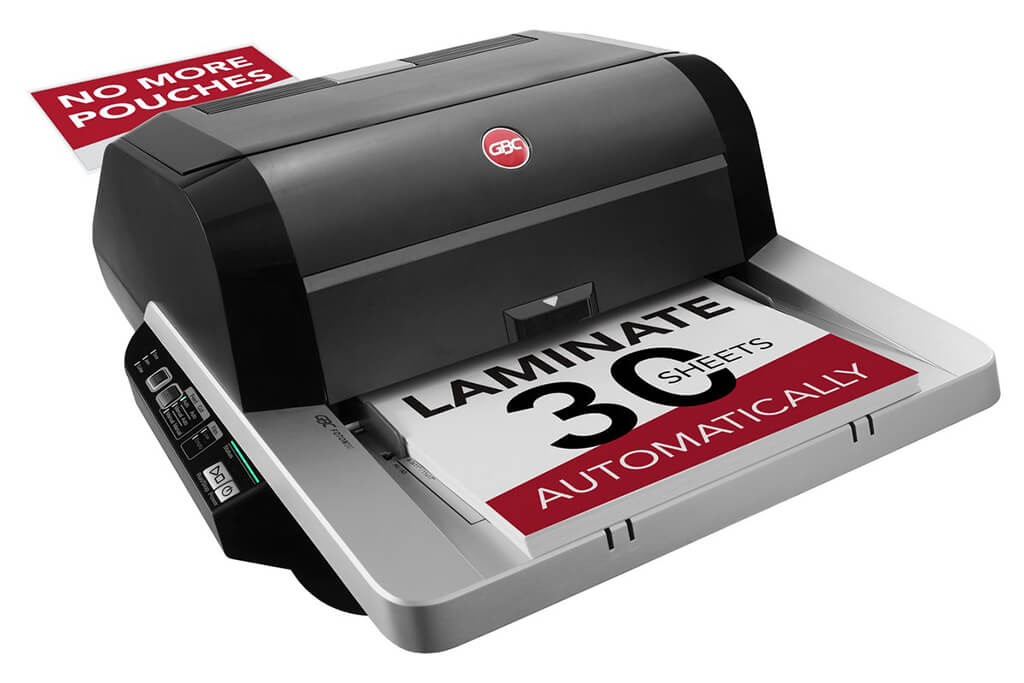
Image Source: ACCO Brands Corporation Official Site
(https://www.gbc-machines.com/products/gbc-foton-30-automatic-laminator)
(https://www.gbc-machines.com/products/gbc-foton-30-automatic-laminator)
Example facilities
Schools, hospitals, municipalities, etc.
Reasons for recommendation
Automates small-scale operations with fewer personnel
- With the push of a button, automatically laminates 30 sheets of A4 paper in 15 minutes. Its size allows it to be placed on a desk, making it easy to install.
- By fully automating the process from feeding to lamination, it enables the handling of jobs with low daily processing volumes in parallel with other operations.
The fact that it does not require dedicated operators or subsequent processes makes it suitable for small-scale sites.
| Maximum processing speed | 7.0 m/min |
|---|---|
| Maximum width | 297 mm (A3 compatible) |
| Warm-up | about 4 minutes |
| Processing type | roll type, double-sided (with borders) |
| Voltage (CE) | AC220 to 240V |
| Main unit dimensions | W 580 mm / D 440 mm / H 250 mm |
[About 1,000+ sheets per month]
Medium-lot production
Medium-lot production
Revo-Flex
(Lami Corporation)
(Lami Corporation)
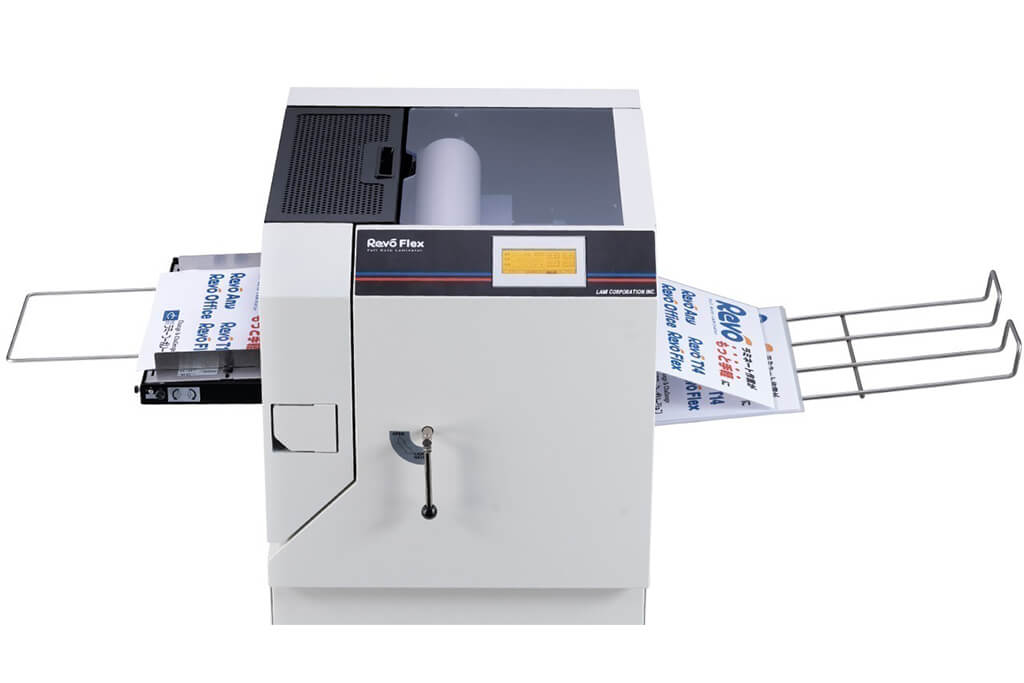
Image source: LAMI Corporation Official Website
(https://www.lami-corporation.co.jp/english/products/detail/51)
(https://www.lami-corporation.co.jp/english/products/detail/51)
Example facilities
Output centers, design offices, franchise headquarters, etc.
Reasons for recommendation
High-mix, fast-turnaround jobs are efficient through process reduction
- Completes trimming simultaneously with lamination, eliminating the need to move to subsequent processes or separate equipment.
Eliminates bottlenecks that tend to occur in on-demand printing and production sites. - High-precision automatic four-side trimming reduces trimming errors resulting from manual work, reducing film loss and the hassle of reprinting.
Even at sites with high-mix, small-lot production, it processes efficiently with consistent quality.
| Maximum processing speed | 2.0 m/min |
|---|---|
| Maximum width | 320 mm (SRA3 standard) |
| Warm-up | about 5 minutes *1 |
| Processing type | roll type, double-sided (border on/off selectable) |
| Voltage (CE) | AC230V |
| Main unit dimensions | W 1,300 mm / D 610 mm / H 1,080 mm *2 |
[10,000+ sheets per month]
High-lot production
High-lot production
Mini 76 TH
(Autobond Laminating)
(Autobond Laminating)
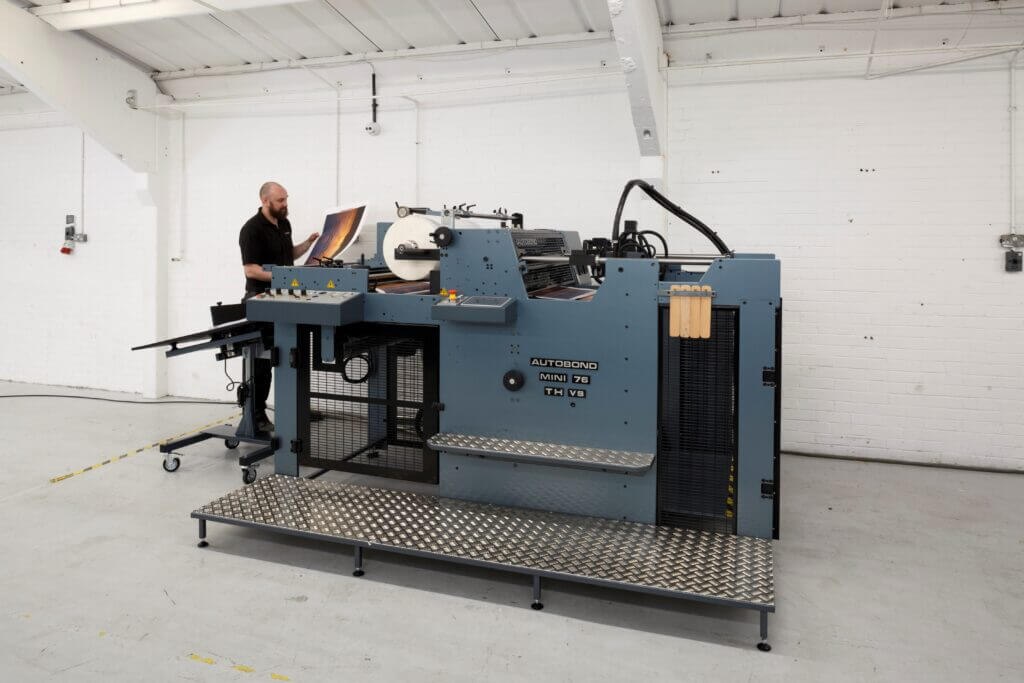
Image source: AUTOBOND Official Website
(https://www.autobondlaminating.com/machinery/thermal-lamination/mini/mini-76-th/)
(https://www.autobondlaminating.com/machinery/thermal-lamination/mini/mini-76-th/)
Example facilities
Printing factories, bookbinding lines, etc.
Reasons for recommendation
High-speed, continuous processing that can be integrated into mass-production lines
- Uses a steel side plate with a thickness of 20 mm described as sturdy like a tank. This rigid structure physically eliminates vibrations even at high-speed operations of 60 m per minute, maintaining stable processing accuracy.
- With a processing capacity of 60 m per minute, it can continuously handle large-format prints stably.
It demonstrates its true value when introduced as a part of a production line rather than as a standalone machine.
| Maximum processing speed | 60.0 m/min |
|---|---|
| Maximum width | 760 mm (B1+ compatible) |
| Warm-up | inquire for details |
| Processing type | roll type, single-sided or double-sided (borderless) |
| Voltage (CE) | inquire for details |
| Main unit dimensions | inquire for details |
*1. At 100°C (212°F) setting
*2. Dimensions when assembled, including the stand, tray, etc.