
Single-Pass Lamination and Trimming
Index
After the lamination process comes the tedious manual trimming with scissors or cutters. Recently, fully automatic laminators that complete the trimming process have become widespread, but the level of automation varies by model. This article explains the three levels of automatic trimming and how entrusting this process to a machine impacts your overall throughput.
Key Takeaways
- Automated laminators with integrated trimming fall into three categories: slitting only, size cutting, and 4-sided trimming.
- Only 4-sided trimming completes a borderless (bleed) finish entirely within the machine.
- Eliminating manual trimming improves your actual processing capacity far beyond the rated catalog speed.
- You must evaluate trimming accuracy alongside the mechanism that measures each sheet's length.
What is an Integrated Trimming Laminator? (The Mechanics of Single-Pass Processing)
An integrated trimming laminator executes feeding, laminating, and trimming in a single continuous operation.
Simply load your documents into the feed tray and press a button. The machine automatically pulls the paper, encapsulates it with thermal film, and executes the final margin cut. We call this a single-pass process because the document passes through the machine just once to reach its final finished state.
The massive shift from traditional manual machines and cutters is the elimination of operator standby time. Previously, operators had to manually feed sheets one by one and manually separate the output with a cutter or scissors.
By implementing a single-pass machine, your staff can focus on other tasks while lamination runs in the background. Reducing the steps that require constant human attention significantly cuts down the labor traditionally spent on post-lamination trimming.
Three Levels of Trimming Scope
Even within "automatic trimming," the cutting scope falls into three distinct tiers depending on the model.
| Level | What it Cuts | Resulting Finish | Remaining Manual Labor |
|---|---|---|---|
| Slitting Only | Separates continuous film sheet by sheet | Bordered | Cutting to final size |
| Size Cutting | Cuts to final dimensions | Bordered | Virtually none (for applications requiring borders) |
| 4-Sided Trimming | Trims all four margins | Borderless (Full Bleed) | None |
The slitting-only level separates the continuous film into individual sheets. You will still need a separate manual step to cut the pieces to their final dimensions. However, for applications like large-format drawings or non-standard posters, slitting alone often suffices.
Size cutting cuts the leading and trailing edges to your specified dimensions, delivering a finish with a consistent border. This suits applications requiring encapsulated borders, such as restaurant menus or outdoor signage. Some models handle everything from lamination to size cutting automatically.
4-sided trimming cuts the front and back edges and trims the left and right margins. This is the optimal choice for jobs demanding a borderless finish, such as business cards, loyalty cards, and retail POP displays. Because the machine handles all four sides, compatible models fully automate the process down to the borderless finish.
Note that manufacturers use different terms—like side slitting or auto slitting—so always verify the exact functional specifications.
Feed Control Dictates Trimming Accuracy
The accuracy of the trimming position depends not on the blade, but on how the machine measures the paper feed.
Automated machines determine where to cut using two primary methods: feeding and cutting at pre-set, equal intervals, or using sensors to measure each individual sheet's length before cutting.
The pre-set interval method falters when processing mixed-size jobs or non-standard documents. You waste time changing settings for every size shift, and even a slight discrepancy between the setting and actual length causes the cut position to drift.
Conversely, a sensor-driven method that detects the leading and trailing edges of each sheet ensures precise cuts, even when mixing different sizes. Furthermore, if the machine features roller controls to prevent paper skewing, you avoid errors like asymmetrical left and right margins. To cut accurately, the machine must feed and measure accurately.
Reference 1: Lami Corporation (https://www.lami-corporation.co.jp/products/detail/62)
Reference 2: Inashin (https://www.inashin.co.jp/blog/hikaku-laminator-roller2203/)
Impact on Throughput: What Changes When You Drop Manual Trimming?
When you hand the trimming process over to a machine, your hourly output increases far beyond the rated speed.
The "meters per minute" speed listed in catalogs merely indicates how fast the film passes through the rollers. This is a completely different metric from your actual hourly yield. With traditional manual machines, the catalog speed completely ignores the time an operator spends manually cutting the output.
Installing an automated laminator with integrated trimming entirely eliminates this manual cutting time. You can calculate your exact cost savings by multiplying your hourly labor rate by the time currently spent on trimming.
Because the machine finishes the job automatically, operators can advance other tasks, driving up the productivity of your entire organization.
Actual throughput varies by model. For instance, the processing capacity of the Revo-Flex by Lami Corporation, which supports 4-sided trimming, changes based on paper size and operating conditions. Always verify the manufacturer's published specifications before investing.
The massive advantage of single-pass processing is the ability to entrust the entire post-lamination finishing process to the machine, contrasting sharply with workflows requiring manual trimming.
Reference 3: Lami Corporation Official Website (https://www.lami-corporation.co.jp/products/detail/62)
Checklist for Evaluating Fully Automatic Laminators
When selecting an automated laminator, evaluate these four criteria alongside the trimming scope:
- Maximum and minimum compatible sheet dimensions
- Supported film thickness range
- Trimming scope (Slitting only, Size cutting, or 4-Sided trimming)
- Power requirements and physical footprint
First, verify that the machine handles your most frequently used paper sizes and supports the film thicknesses required for your desired finishes. Next, align the trimming scope with your actual operational needs, as specifications and pricing shift dramatically based on trimming capabilities, supported sizes, and film thickness.
It is critical to define exactly how much automation you actually need, factoring in your facility's power infrastructure and available floor space.
FAQ
- Q. What must we finalize before requesting a quote?
- A. You must map out the exact operational parameters your workflow demands, including target media sizes, thickness, and estimated monthly throughput.
- Q. How should we communicate our throughput requirements?
- A. Ignore the catalog maximums. State your actual expected hourly yield, factoring in realistic downtime for setup and film replacement.
- Q. How do we define our trimming requirements?
- A. Describe your exact final finish requirements, specifying whether you need an encapsulated margin or a borderless, flush-trimmed result.
- Q. Can we request a test run?
- A. Yes, you can request test processing using your own print samples, but demonstration availability and specific conditions vary by vendor.
- Q. What fees are most commonly excluded from initial quotes?
- A. Vendors frequently exclude complex freight charges (like multi-story rigging without elevators) and installation costs for dedicated electrical circuits, billing them separately.
Conclusion
The extent to which an automated laminator eliminates manual labor depends heavily on its trimming scope. As a rule, choose size cutting for bordered applications, and 4-sided trimming for borderless finishes. To maximize your ROI and the benefits of automation, identify the exact level of trimming your operations demand. This critical assessment directly informs the broader debate of in house lamination vs outsourcing.
For a deeper dive into installation costs and how to read equipment quotes, please see the following article.
[Advertisement]
[By production scale]
Three Fully Automatic Laminators
[By production scale]
Three Fully Automatic Laminators
When choosing a fully automatic laminator, it is important to base your decision on the volume you process in a day rather than the size of the main unit or equipment scale.
This is an introduction to fully automatic laminators that match the workload and operational style of different production scales.
Advertiser Disclosure:
We receive compensation from some of the companies listed below.This compensation may affect which companies are included and the order in which they appear.
[About 100+ sheets per month]
Small-lot production
Small-lot production
GBC Foton 30
(ACCO Brands Corporation)
(ACCO Brands Corporation)
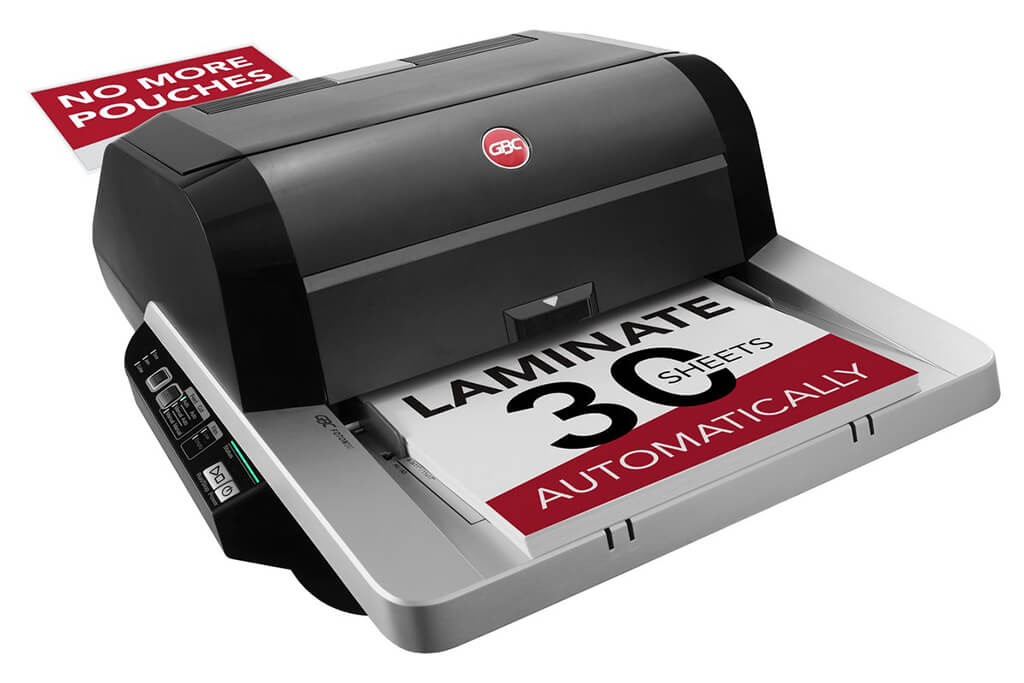
Image Source: ACCO Brands Corporation Official Site
(https://www.gbc-machines.com/products/gbc-foton-30-automatic-laminator)
(https://www.gbc-machines.com/products/gbc-foton-30-automatic-laminator)
Example facilities
Schools, hospitals, municipalities, etc.
Reasons for recommendation
Automates small-scale operations with fewer personnel
- With the push of a button, automatically laminates 30 sheets of A4 paper in 15 minutes. Its size allows it to be placed on a desk, making it easy to install.
- By fully automating the process from feeding to lamination, it enables the handling of jobs with low daily processing volumes in parallel with other operations.
The fact that it does not require dedicated operators or subsequent processes makes it suitable for small-scale sites.
| Maximum processing speed | 7.0 m/min |
|---|---|
| Maximum width | 297 mm (A3 compatible) |
| Warm-up | about 4 minutes |
| Processing type | roll type, double-sided (with borders) |
| Voltage (CE) | AC220 to 240V |
| Main unit dimensions | W 580 mm / D 440 mm / H 250 mm |
[About 1,000+ sheets per month]
Medium-lot production
Medium-lot production
Revo-Flex
(Lami Corporation)
(Lami Corporation)
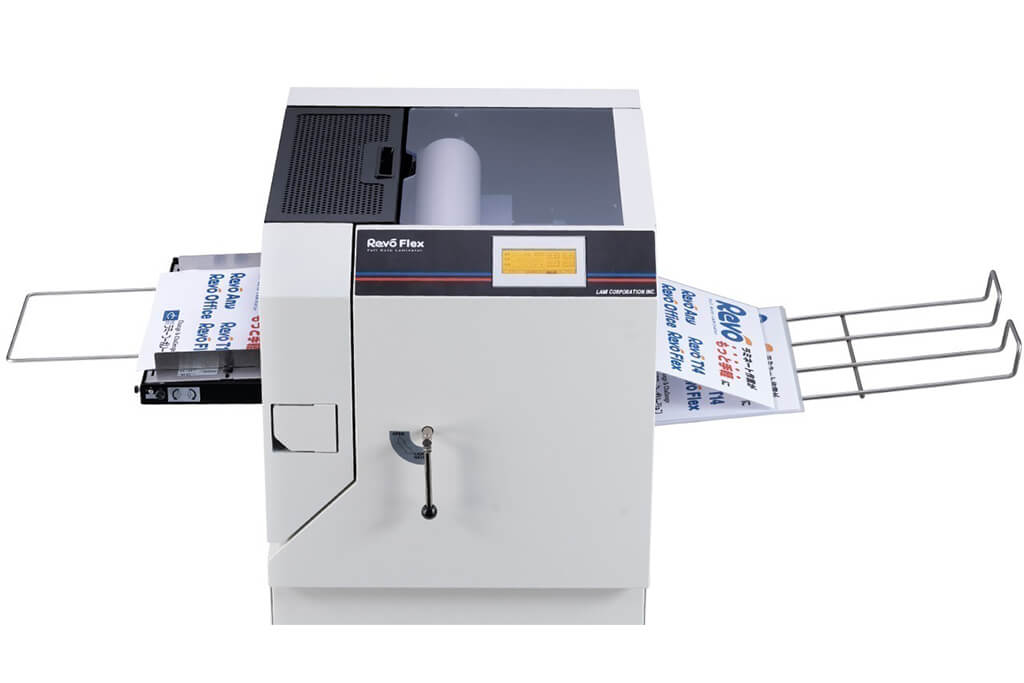
Image source: LAMI Corporation Official Website
(https://www.lami-corporation.co.jp/english/products/detail/51)
(https://www.lami-corporation.co.jp/english/products/detail/51)
Example facilities
Output centers, design offices, franchise headquarters, etc.
Reasons for recommendation
High-mix, fast-turnaround jobs are efficient through process reduction
- Completes trimming simultaneously with lamination, eliminating the need to move to subsequent processes or separate equipment.
Eliminates bottlenecks that tend to occur in on-demand printing and production sites. - High-precision automatic four-side trimming reduces trimming errors resulting from manual work, reducing film loss and the hassle of reprinting.
Even at sites with high-mix, small-lot production, it processes efficiently with consistent quality.
| Maximum processing speed | 2.0 m/min |
|---|---|
| Maximum width | 320 mm (SRA3 standard) |
| Warm-up | about 5 minutes *1 |
| Processing type | roll type, double-sided (border on/off selectable) |
| Voltage (CE) | AC230V |
| Main unit dimensions | W 1,300 mm / D 610 mm / H 1,080 mm *2 |
[10,000+ sheets per month]
High-lot production
High-lot production
Mini 76 TH
(Autobond Laminating)
(Autobond Laminating)
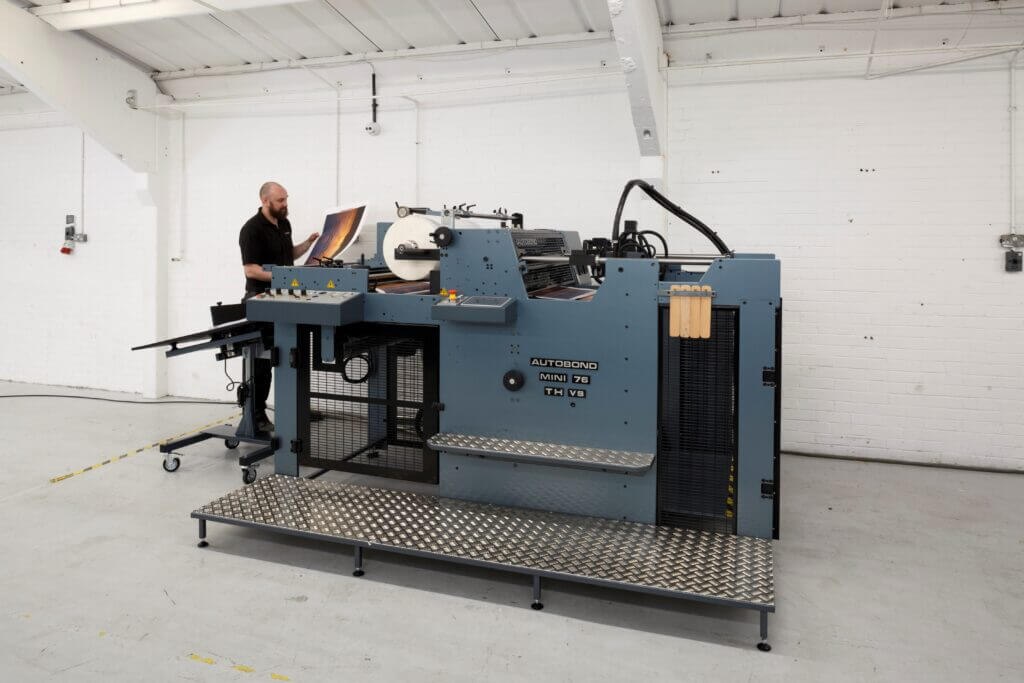
Image source: AUTOBOND Official Website
(https://www.autobondlaminating.com/machinery/thermal-lamination/mini/mini-76-th/)
(https://www.autobondlaminating.com/machinery/thermal-lamination/mini/mini-76-th/)
Example facilities
Printing factories, bookbinding lines, etc.
Reasons for recommendation
High-speed, continuous processing that can be integrated into mass-production lines
- Uses a steel side plate with a thickness of 20 mm described as sturdy like a tank. This rigid structure physically eliminates vibrations even at high-speed operations of 60 m per minute, maintaining stable processing accuracy.
- With a processing capacity of 60 m per minute, it can continuously handle large-format prints stably.
It demonstrates its true value when introduced as a part of a production line rather than as a standalone machine.
| Maximum processing speed | 60.0 m/min |
|---|---|
| Maximum width | 760 mm (B1+ compatible) |
| Warm-up | inquire for details |
| Processing type | roll type, single-sided or double-sided (borderless) |
| Voltage (CE) | inquire for details |
| Main unit dimensions | inquire for details |
*1. At 100°C (212°F) setting
*2. Dimensions when assembled, including the stand, tray, etc.