
POUCH Laminator
Index
In this article, we introduce pouch laminators designed for professional, business and corporate use, with a focus on models that are easy to operate and manage on site.
How Pouch Laminators Work and Their Key Features
How they work
A pouch laminator pressure-bonds and seals a printed sheet by placing it between a pair of pouch films (two sheets joined as one) and running it through rollers. The inside of the film has an adhesive layer. When heat and/or pressure is applied, the paper bonds to the film and the edges are sealed, creating a fully laminated finish.
There are two main pouch-lamination methods: hot and cold. The biggest difference is whether heat is used.
Key features
One major advantage of the pouch method is that you can laminate one sheet at a time, individually. Operation is straightforward: insert the document into the pouch, feed it into the machine from the sealed edge first, and simply let it pass through the rollers. Because the steps are simple, it is easy to use even without specialist knowledge.
Pouch laminators are commonly introduced in offices, schools, shops, and public facilities, where there is a strong need to improve the durability of notices and handouts.
Common Installation Settings and Uses for Pouch Laminators
Typical installation environments
- General offices
- Schools and educational institutions
- Government offices and public facilities
- Retail and service businesses
- In-house teams responsible for document creation and management
Typical applications
- Internal notices, manuals, and meeting materials
- Signage and safety or warning posters
- Price lists, POPs, and menus
- Teaching materials, handouts, and display items
Pouch lamination is often chosen because it suits low-volume, high-mix jobs. You can laminate exactly the number of sheets you need, when you need them, without installing large-scale equipment. Another advantage is the low barrier to setup and relocation, making it easy to introduce wherever it is required.
Differences Between Hot Pouch and Cold Pouch Lamination
| Item | Hot Pouch | Cold Pouch |
|---|---|---|
| Bonding method | Heat + pressure | Pressure only |
| Suitable materials | Heat-resistant paper, standard documents and notices | Heat-sensitive materials, items with special printed surfaces |
| Finish | Strong adhesion, making it easier to achieve a stable, durable protective layer | Less affected by heat, but the surface appearance can vary in some cases |
| Start-up | Requires warm-up time for heating | No heating process, so it can be used straight away when needed |
| Typical uses | Office documents and signs, centre-spread manuals, in-store notices and guidance | Heat-sensitive materials, photographs, thermal paper, etc. |
Neither is inherently better. If you want to protect paper properly and keep it looking neat, Hot Pouch is a good fit. If you need to avoid heat, Cold Pouch is the better choice. Once your materials and usage scene are clear, choosing between the two is straightforward.
Pre-purchase Checks
- Maximum supported size (e.g. A4 / A3)
- Supported film thickness
- Processing speed (time per sheet)
- Warm-up time (for hot lamination)
- Ease of operation (manual feed and whether settings are detected automatically)
- Installation requirements (desktop setup and power supply)
As the number of sheets increases, the pouch method can become labour-intensive due to manual feeding and sheet-by-sheet processing. If you are laminating at a higher frequency, it is worth considering a roll laminator or a fully automatic laminator.
How to think about increased processing frequency
When choosing a laminator, the perspective of processing frequency is essential, alongside sheet size.
As volume increases, time lost to manual feeding and repeated setup accumulates. For business use, this is exactly why automation features become increasingly important.
On this site, we have carefully selected fully automatic laminator models by production scale across different facilities. Use this as a reference when considering your introduction.
FAQs About Pouch Laminators
Q. What kind of workplace is a pouch laminator best suited for?
A. It is ideal for workplaces that want to protect small quantities of varied documents and displays quickly, exactly when needed. Typical examples include offices and shops that frequently update notices, as well as educational settings where handouts and teaching materials are prepared on demand.
Q. Should I choose hot or cold lamination?
A. The key deciding factor is whether the material can tolerate heat. Choose hot for heat-resistant materials, and cold for heat-sensitive materials. Because cold lamination does not involve a heating stage, it is also a good option when you need to finish a single sheet quickly.
Q. Is it suitable for high-volume processing?
A. In general, the pouch method is not ideal for high-volume work. Each sheet must be set and processed individually, so manual feeding time and waiting time add up as the number of sheets increases.
For high-volume processing, a roll laminator is better suited. Because the film is supplied continuously, it works well when you run the same specification in batches. The more sheets you process, the more efficient it becomes.
[Advertisement]
[By production scale]
Three Fully Automatic Laminators
[By production scale]
Three Fully Automatic Laminators
When choosing a fully automatic laminator, it is important to base your decision on the volume you process in a day rather than the size of the main unit or equipment scale.
This is an introduction to fully automatic laminators that match the workload and operational style of different production scales.
Advertiser Disclosure:
We receive compensation from some of the companies listed below.This compensation may affect which companies are included and the order in which they appear.
[About 100+ sheets per month]
Small-lot production
Small-lot production
GBC Foton 30
(ACCO Brands Corporation)
(ACCO Brands Corporation)
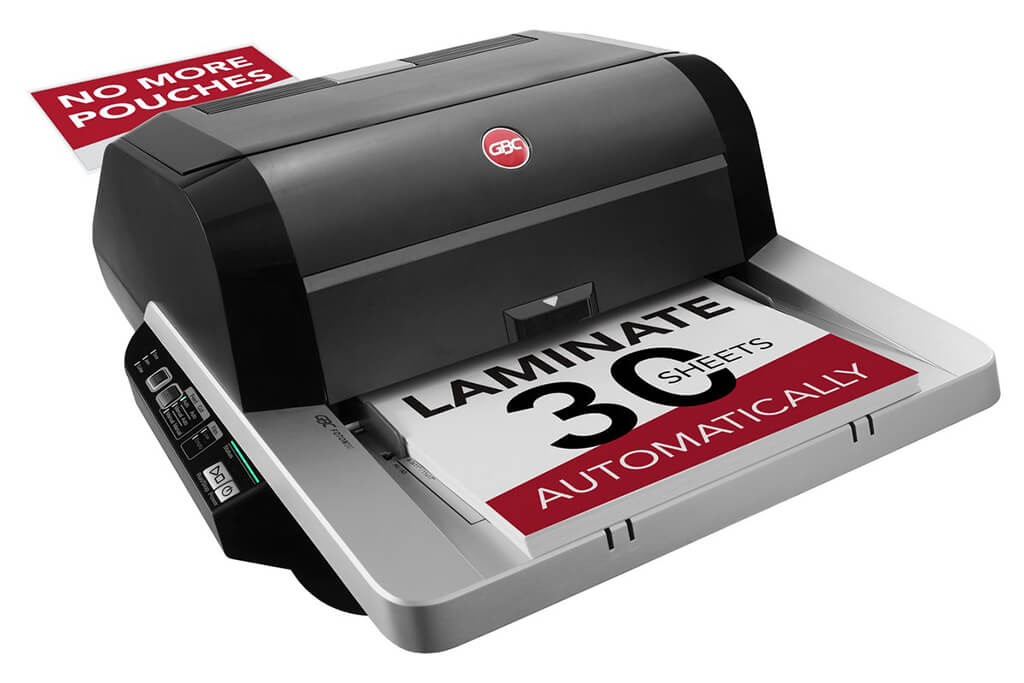
Image Source: ACCO Brands Corporation Official Site
(https://www.gbc-machines.com/products/gbc-foton-30-automatic-laminator)
(https://www.gbc-machines.com/products/gbc-foton-30-automatic-laminator)
Example facilities
Schools, hospitals, municipalities, etc.
Reasons for recommendation
Automates small-scale operations with fewer personnel
- With the push of a button, automatically laminates 30 sheets of A4 paper in 15 minutes. Its size allows it to be placed on a desk, making it easy to install.
- By fully automating the process from feeding to lamination, it enables the handling of jobs with low daily processing volumes in parallel with other operations.
The fact that it does not require dedicated operators or subsequent processes makes it suitable for small-scale sites.
| Maximum processing speed | 7.0 m/min |
|---|---|
| Maximum width | 297 mm (A3 compatible) |
| Warm-up | about 4 minutes |
| Processing type | roll type, double-sided (with borders) |
| Voltage (CE) | AC220 to 240V |
| Main unit dimensions | W 580 mm / D 440 mm / H 250 mm |
[About 1,000+ sheets per month]
Medium-lot production
Medium-lot production
Revo-Flex
(Lami Corporation)
(Lami Corporation)
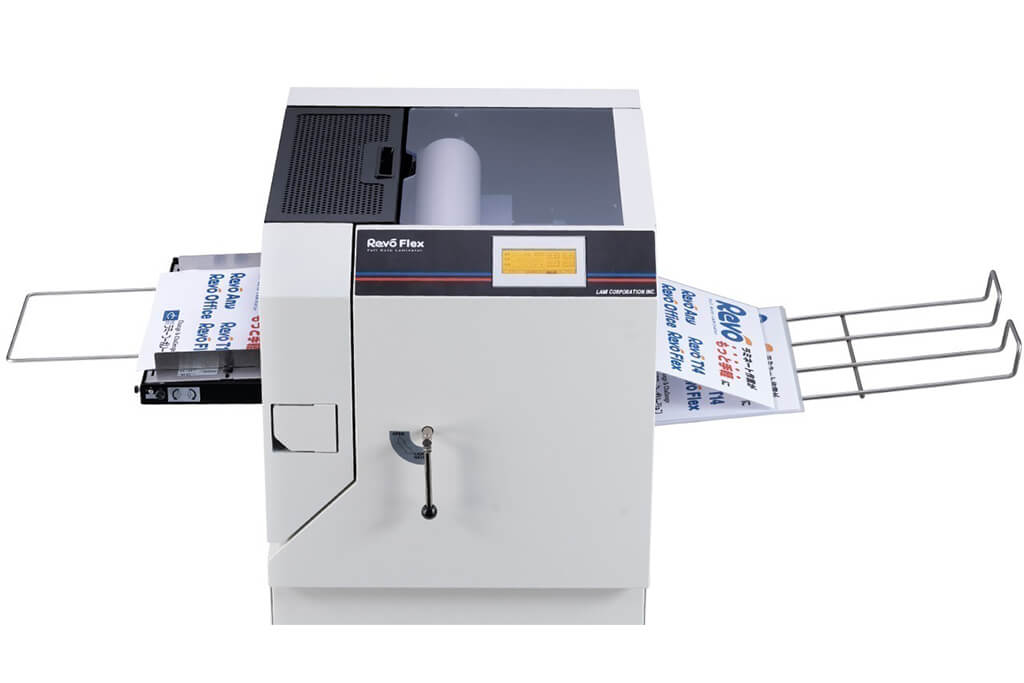
Image source: LAMI Corporation Official Website
(https://www.lami-corporation.co.jp/english/products/detail/51)
(https://www.lami-corporation.co.jp/english/products/detail/51)
Example facilities
Output centers, design offices, franchise headquarters, etc.
Reasons for recommendation
High-mix, fast-turnaround jobs are efficient through process reduction
- Completes trimming simultaneously with lamination, eliminating the need to move to subsequent processes or separate equipment.
Eliminates bottlenecks that tend to occur in on-demand printing and production sites. - High-precision automatic four-side trimming reduces trimming errors resulting from manual work, reducing film loss and the hassle of reprinting.
Even at sites with high-mix, small-lot production, it processes efficiently with consistent quality.
| Maximum processing speed | 2.0 m/min |
|---|---|
| Maximum width | 320 mm (SRA3 standard) |
| Warm-up | about 5 minutes *1 |
| Processing type | roll type, double-sided (border on/off selectable) |
| Voltage (CE) | AC230V |
| Main unit dimensions | W 1,300 mm / D 610 mm / H 1,080 mm *2 |
[10,000+ sheets per month]
High-lot production
High-lot production
Mini 76 TH
(Autobond Laminating)
(Autobond Laminating)
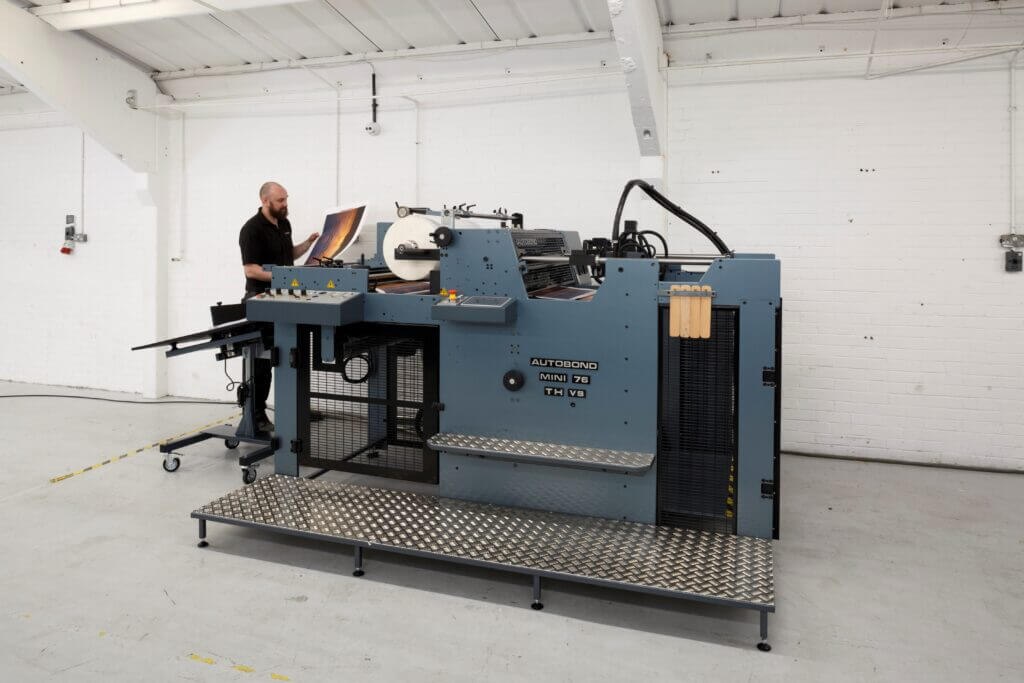
Image source: AUTOBOND Official Website
(https://www.autobondlaminating.com/machinery/thermal-lamination/mini/mini-76-th/)
(https://www.autobondlaminating.com/machinery/thermal-lamination/mini/mini-76-th/)
Example facilities
Printing factories, bookbinding lines, etc.
Reasons for recommendation
High-speed, continuous processing that can be integrated into mass-production lines
- Uses a steel side plate with a thickness of 20 mm described as sturdy like a tank. This rigid structure physically eliminates vibrations even at high-speed operations of 60 m per minute, maintaining stable processing accuracy.
- With a processing capacity of 60 m per minute, it can continuously handle large-format prints stably.
It demonstrates its true value when introduced as a part of a production line rather than as a standalone machine.
| Maximum processing speed | 60.0 m/min |
|---|---|
| Maximum width | 760 mm (B1+ compatible) |
| Warm-up | inquire for details |
| Processing type | roll type, single-sided or double-sided (borderless) |
| Voltage (CE) | inquire for details |
| Main unit dimensions | inquire for details |
*1. At 100°C (212°F) setting
*2. Dimensions when assembled, including the stand, tray, etc.