
SRA3 Laminator
Index
An SRA3 sheet measures 320 × 450 mm. Most desktop and office laminators are rated to 305 or 310 mm, so the sheet stops at the feeder before the film ever touches it.
That 15 mm is not a rounding error. SRA3 exists because digital presses print with bleed and crop marks, and the oversize area is cut away after finishing. A machine that cannot handle the full sheet forces you to trim first, which destroys the registration marks you still need.
Key Takeaways
- Check maximum sheet width, not “A3+” or “oversize” marketing language. SRA3 needs 320 mm at the feeder.
- Film width, feed width and laminating width are three different numbers on a spec sheet, and only one of them tells you whether an SRA3 sheet will run.
- Lamination happens before trimming in an SRA3 workflow, so decide early whether you will cut on a guillotine or use a machine with in-line four-side trimming.
- Ask for the finished size after trimming, not just the maximum input size. The two differ by 15 to 25 mm.
Why SRA3 Stops at the Feeder on Most A3 Machines
A3 is 297 mm wide. SRA3 is 320 mm. A laminator built around A3 has a feed path, roller face and film path sized for roughly 305 to 310 mm, which covers A3 plus a small margin and nothing more.
Trimming the sheet down to A3 first does not solve it. The bleed area carries the crop marks and the colour that runs off the edge, and both are needed until the job is cut to finished size. Cut early and you lose the registration you were printing SRA3 to protect, and you still have to cut a second time to remove the film edge.
The more practical workflow is the reverse: print SRA3, laminate the full sheet, then trim once to finished size.
A3 vs. SRA3 vs. A3+ vs. 12x18: Understanding the Differences
These are all different standards and are not the exact same size. While often grouped together as "slightly larger than A3," they belong to different ISO, US, and manufacturer standards, varying by several millimeters and hardware requirements.
Size Comparison and SRA3 Compatibility
| Format | Dimensions (mm / inch) | Typical Use / Market | Can It Be Treated as SRA3? |
|---|---|---|---|
| A3 | 297 × 420 mm 11.69 × 16.54 in |
Office documents, posters | No. Lacks the extra margin needed for crop marks and bleed. |
| SRA3 | 320 × 450 mm 12.60 × 17.72 in |
Commercial printing, professional laser printers | (Base Standard) Designed for borderless A3 printing. |
| 12 × 18 | 305 × 457 mm 12.00 × 18.00 in |
US digital printing (11×17 Tabloid bleeds) | No (Too narrow). At 305mm wide, it lacks the margin for A3 crop marks, leading to clipped prints. |
| A3+ (A3 Nobi) |
329 × 483 mm 12.95 × 19.02 in |
Photo inkjet printers (Pro/High-end amateur) | No (Too wide). Its 329mm width will not physically fit into SRA3-specific laser printer trays. |
| 13 × 19 (Super B) |
330 × 483 mm 13.00 × 19.00 in |
US inkjet and photo market | No (Too wide). Same physical width constraints as A3+. |
Crucial Differences
"A3+" and "13×19" are practically identical
A3+ (Europe/Japan) and 13×19 inches (US) are the same practical standard for the photo inkjet market. There is only a negligible 1–2mm discrepancy depending on the manufacturer.
Width required for A3 bleed
Printing full-bleed A3 (297×420mm) with crop marks requires at least 317×440mm of space. SRA3 (320×450mm) fits this perfectly. The US 12×18 standard is designed for 11×17 inch bleeds and is simply too narrow for A3.
The 320mm Hardware Barrier
You cannot use A3+ or 13×19 paper as a substitute for SRA3. Professional laser printers are calibrated for the SRA3 standard and have a strict 320mm width limit on their feed trays. Inkjet papers (329–330mm) will catch on the guides and fail to load.
When Do You Actually Need an SRA3 Laminator?
SRA3 (320 × 450 mm) is slightly larger than standard A3 (297 × 420 mm). You only need an SRA3 laminator for full-bleed (borderless) A3 finishing or commercial print workflows.
| Workflow | Is SRA3 Needed? | Reason |
|---|---|---|
| A3 prints with bleed | Yes | Creating full-bleed (borderless) A3 prints requires laminating a larger sheet, then trimming the edges down to exact A3 size. |
| Prints with crop marks | Yes | Crop marks extend past standard A3 dimensions, requiring wider paper and equipment. |
| 2-up A4 printing | Yes / No | Yes if you need two full-bleed A4 prints. No if white margins are acceptable. |
| Digital print finishing | Yes | Commercial production printers use SRA3 as the default output size; finishing equipment must match. |
| Standard office documents | No | Standard A3/A4 laminators are sufficient for basic document protection where clear plastic margins are acceptable. |
When You Need SRA3
・Full-Bleed Materials (Posters/Menus): Laminating standard A3 leaves a clear plastic border. For edge-to-edge color, you must laminate SRA3 and cut off the excess.
・Commercial Print Shops: High-end production printers default to SRA3. Your laminator must match this width to process the output directly without pre-trimming.
When Standard A3 is Enough
・Everyday Office Use: If your goal is simply protecting paper from spills and you don't mind a clear plastic margin, a standard laminator works perfectly.
・Budget and Space Constraints: SRA3 machines and supplies are bulkier, more expensive, and harder to source. They are overkill unless you specifically require full-bleed finishing.
Three Width Numbers That Get Confused on Spec Sheets
Maximum film width is the roll the machine accepts. On roll laminators the film is usually wider than the sheet so the edges seal, which means a 330 mm film rating can sit on a machine that only feeds 305 mm sheets.
Maximum sheet width is the number that determines whether SRA3 sheets can be processed. It is set by the feeder tray, the side guides and the separation mechanism, and it is the figure to quote back to a supplier.
Maximum laminating width is the heated and pressured working area. Where it is narrower than the sheet width, the outer band of the sheet gets film but not full bond pressure, and that edge lifts first in use.
When a specification lists only one width, ask which of the three it is before comparing machines.
Trimming Is the Second Half of the Job
Two routes exist once the full sheet is laminated.
Guillotine after lamination
This works with any laminator, but film behaves differently from paper under a blade. A dull or slightly misaligned knife drags the film, leaving a ragged edge or a whisker of film standing proud of the paper. Stacks need to be smaller than you would cut unlaminated, and blade sharpening moves onto the maintenance schedule.
In-line four-side trimming
The machine cuts all four edges during the pass, so the sheet comes out at finished size with no second handling step. This is where the finished-size question matters: a cut with a margin leaves a sealed film border around the paper, while a flush cut goes directly to the paper edge. A flush cut may be preferred when the finished appearance requires the film to end at the paper edge, while a bordered finish provides a sealed film margin around the edge. The job requirements, rather than the machine alone, determine which finish is appropriate.
On the LAMI Revo-Flex, for example, an A3 job finishes at 303 × 426 mm with margin and 294 × 417 mm without. Ask for the equivalent figures on any machine you are comparing.
What to Confirm Before You Order
- Maximum sheet width for your exact model and market, in millimetres
- Finished size after trimming, both with margin and flush
- Whether the film supplied for that machine covers the widths you need
- Maximum paper weight, since SRA3 digital stock often runs heavier than office paper
- Feeder capacity against your typical run length
- Whether four-side trimming is standard or an option on that configuration
Our specification checklist for comparing laminator quotes covers the rest of the figures worth putting side by side.
FAQs About SRA3 Laminating
Q. Can I run SRA3 through an A3 laminator by feeding it at an angle or by hand?
No. The limitation is the width of the roller face and film path, not the feeder guides. Forcing an oversize sheet leaves the outer edge unbonded and risks wrapping film around the roller.
Q. Is B3 the same problem as SRA3?
B3 is 353 × 500 mm, wider again. A machine rated for SRA3 will not necessarily take B3, so treat it as a separate check.
Q. Do I need SRA3 if my finished product is A4?
If you print two A4 pages up on one sheet with bleed, yes. The sheet size that matters is what comes off the press, not what the customer receives.
[Advertisement]
[By production scale]
Three Fully Automatic Laminators
[By production scale]
Three Fully Automatic Laminators
When choosing a fully automatic laminator, it is important to base your decision on the volume you process in a day rather than the size of the main unit or equipment scale.
This is an introduction to fully automatic laminators that match the workload and operational style of different production scales.
Advertiser Disclosure:
We receive compensation from some of the companies listed below.This compensation may affect which companies are included and the order in which they appear.
[About 100+ sheets per month]
Small-lot production
Small-lot production
GBC Foton 30
(ACCO Brands Corporation)
(ACCO Brands Corporation)
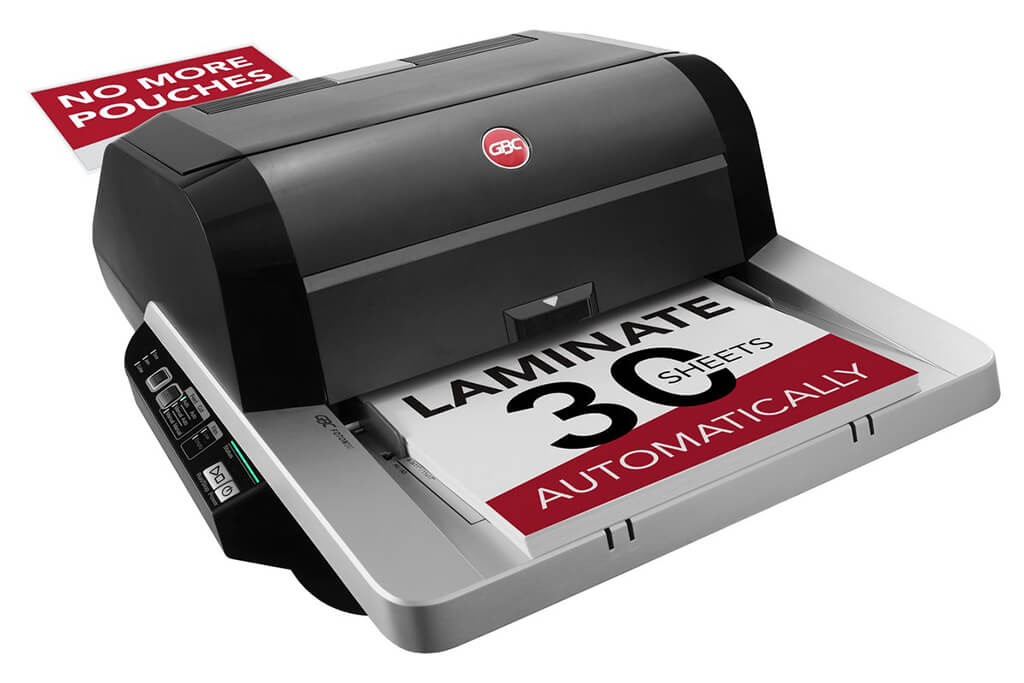
Image Source: ACCO Brands Corporation Official Site
(https://www.gbc-machines.com/products/gbc-foton-30-automatic-laminator)
(https://www.gbc-machines.com/products/gbc-foton-30-automatic-laminator)
Example facilities
Schools, hospitals, municipalities, etc.
Reasons for recommendation
Automates small-scale operations with fewer personnel
- With the push of a button, automatically laminates 30 sheets of A4 paper in 15 minutes. Its size allows it to be placed on a desk, making it easy to install.
- By fully automating the process from feeding to lamination, it enables the handling of jobs with low daily processing volumes in parallel with other operations.
The fact that it does not require dedicated operators or subsequent processes makes it suitable for small-scale sites.
| Maximum processing speed | 7.0 m/min |
|---|---|
| Maximum width | 297 mm (A3 compatible) |
| Warm-up | about 4 minutes |
| Processing type | roll type, double-sided (with borders) |
| Voltage (CE) | AC220 to 240V |
| Main unit dimensions | W 580 mm / D 440 mm / H 250 mm |
[About 1,000+ sheets per month]
Medium-lot production
Medium-lot production
Revo-Flex
(Lami Corporation)
(Lami Corporation)
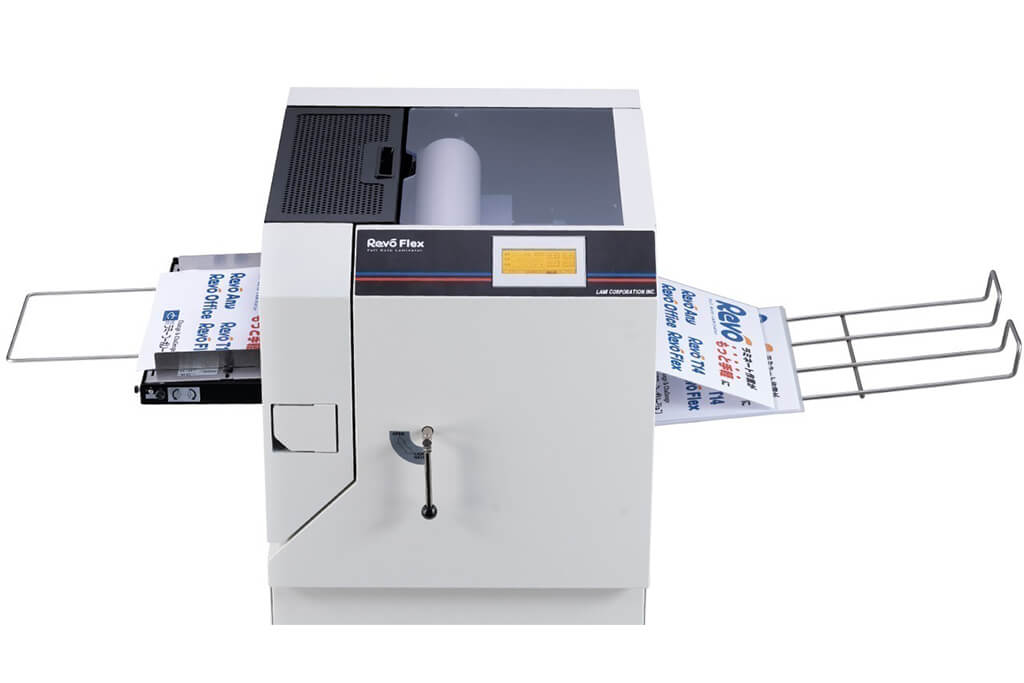
Image source: LAMI Corporation Official Website
(https://www.lami-corporation.co.jp/english/products/detail/51)
(https://www.lami-corporation.co.jp/english/products/detail/51)
Example facilities
Output centers, design offices, franchise headquarters, etc.
Reasons for recommendation
High-mix, fast-turnaround jobs are efficient through process reduction
- Completes trimming simultaneously with lamination, eliminating the need to move to subsequent processes or separate equipment.
Eliminates bottlenecks that tend to occur in on-demand printing and production sites. - High-precision automatic four-side trimming reduces trimming errors resulting from manual work, reducing film loss and the hassle of reprinting.
Even at sites with high-mix, small-lot production, it processes efficiently with consistent quality.
| Maximum processing speed | 2.0 m/min |
|---|---|
| Maximum width | 320 mm (SRA3 standard) |
| Warm-up | about 5 minutes *1 |
| Processing type | roll type, double-sided (border on/off selectable) |
| Voltage (CE) | AC230V |
| Main unit dimensions | W 1,300 mm / D 610 mm / H 1,080 mm *2 |
[10,000+ sheets per month]
High-lot production
High-lot production
Mini 76 TH
(Autobond Laminating)
(Autobond Laminating)
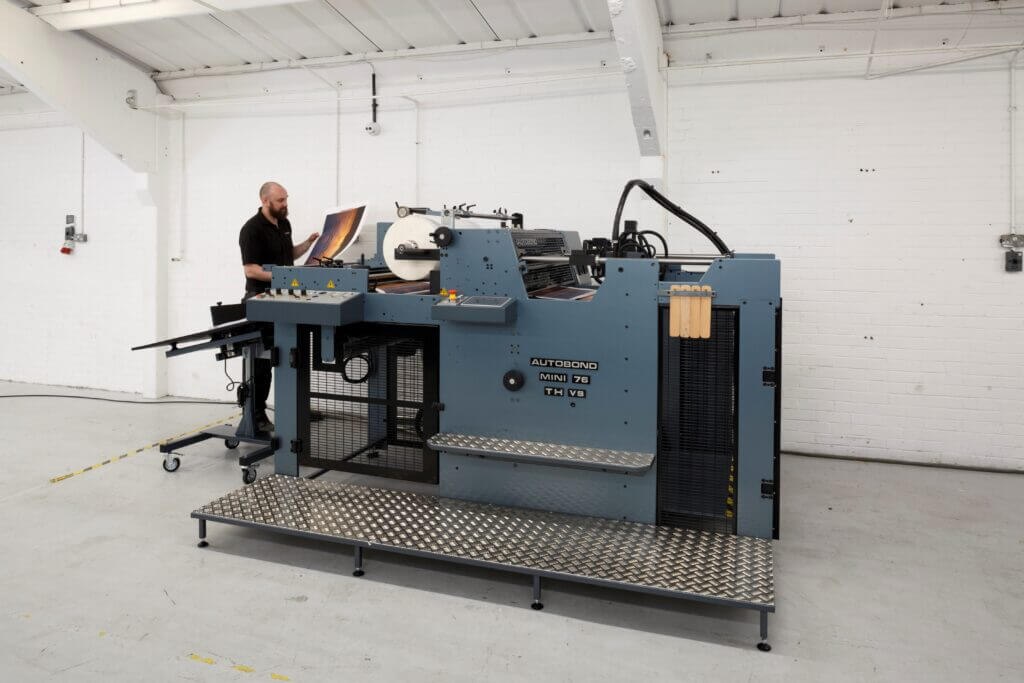
Image source: AUTOBOND Official Website
(https://www.autobondlaminating.com/machinery/thermal-lamination/mini/mini-76-th/)
(https://www.autobondlaminating.com/machinery/thermal-lamination/mini/mini-76-th/)
Example facilities
Printing factories, bookbinding lines, etc.
Reasons for recommendation
High-speed, continuous processing that can be integrated into mass-production lines
- Uses a steel side plate with a thickness of 20 mm described as sturdy like a tank. This rigid structure physically eliminates vibrations even at high-speed operations of 60 m per minute, maintaining stable processing accuracy.
- With a processing capacity of 60 m per minute, it can continuously handle large-format prints stably.
It demonstrates its true value when introduced as a part of a production line rather than as a standalone machine.
| Maximum processing speed | 60.0 m/min |
|---|---|
| Maximum width | 760 mm (B1+ compatible) |
| Warm-up | inquire for details |
| Processing type | roll type, single-sided or double-sided (borderless) |
| Voltage (CE) | inquire for details |
| Main unit dimensions | inquire for details |
*1. At 100°C (212°F) setting
*2. Dimensions when assembled, including the stand, tray, etc.