
A4 Laminator
Index
In this article, we assume practical use in offices and a wide range of commercial workplaces.
From the perspectives of processing efficiency, ease of operation, and automation, we explain the key features of A4 laminators and how to choose the right model.
Primary Workplaces and Uses for A4 Laminators
- General offices
For in-house notices, operating manuals, meeting handouts, and similar documents - Schools and public-sector offices
To protect printed materials that are viewed frequently and handled by many people, such as teaching resources, distributed handouts, noticeboards, and safety or reminder posters - Retail and service businesses
To improve the durability of price lists, POPs, menus, and signage
Why A4 is often the preferred size
A4 is a widely used standard format, offering an excellent balance between how much information you can include and how easy it is to read at a glance. It suits text-heavy documents, allowing you to present all necessary details without overcrowding the page, while still remaining legible when posted on a wall or board.
A4 is also easy to accommodate with desktop and space-saving laminators, making it simple to install in an office without taking up too much room. Another reason it is frequently chosen is its high compatibility with existing printers and copiers.
A4 vs A3 Laminator: Which Size Should You Choose?
When choosing a laminator, one of the most important factors is the document size you need to laminate. Whether you mainly handle A4 documents or need larger A3 materials will determine which model is the right choice.
A4 Laminator vs A3 Laminator Comparison
| Comparison Category | A4 Laminator | A3 Laminator |
|---|---|---|
| Supported Document Sizes | Compact A4-Focused Format • Optimized for standard documents, cards, and small-format materials up to A4 size |
Multi-Format Capability up to A3 • Handles a wide range of materials from A4 documents to A3 prints, posters, and larger media |
| Installation Space | Space-Saving Design • Ideal for personal workspaces, compact desks, and environments requiring easy storage and mobility |
Expanded Workspace Requirement • Requires more installation space but provides greater flexibility for diverse applications |
| Format Flexibility | Efficient Within Defined Size Limits • Designed for reliable processing of A4 and smaller documents |
Enhanced Format Versatility • Supports larger originals and accommodates a wider variety of document orientations and media sizes |
| Workflow Efficiency | Optimized for Everyday Document Tasks • Suitable for routine laminating needs with small to medium workloads |
Designed for Diverse and Higher-Volume Workflows • Provides greater processing flexibility, including efficient handling of various A4 and A3 applications |
| Recommended Applications | Dedicated A4 Work Environments • Ideal for personal offices, compact workspaces, and users with consistent A4-only requirements |
Multi-Purpose Professional Environments • Suitable for offices, educational facilities, print rooms, and workflows requiring multiple media formats |
| Selection Criteria | “Efficiency Within Your Required Format” • The right choice when A4 and smaller documents meet all operational needs |
“Long-Term Versatility and Scalability” • The preferred choice when future expansion, larger media, and broader workflow adaptability are important |
For A4 or Smaller Documents → Choose an A4 Laminator
If you mainly laminate contracts, notices, forms, and other A4-sized documents, an A4 laminator is a practical choice. Its compact design saves desk space and makes it easy to store in small offices or home workspaces.
For Regular A3 Lamination → Choose an A3 Laminator
If you frequently laminate posters, menus, presentation materials, or other A3-sized documents, an A3 laminator is the better option. It also supports smaller sizes like A4, making it more versatile.
For Multiple Document Sizes → Choose an A3 Laminator
If you want one laminator to handle different document sizes, an A3 model offers greater flexibility. It is ideal for workplaces where document sizes vary frequently.
For Limited Installation Space → Choose an A4 Laminator
When workspace is limited, an A4 laminator is a convenient solution. Its compact size makes it easy to place and store without taking up much room.
Conclusion
A4 documents and space-saving needs → A4 Laminator
A3 documents and greater flexibility → A3 Laminator
Choose the laminator size based on your current needs and future usage to find the best fit for your workspace.
Supporting A4 as Well as Smaller Sizes Such as A5 and A6
The term “A4 laminator” does not mean it is designed exclusively for A4. In most cases, “A4” refers to the maximum laminating width, so it can also handle any size up to A4 with flexibility.
Smaller sheets such as A5, A6, and business card size are commonly laminated by placing multiple items together within the film. It is also common to laminate them with the intention of trimming them afterwards.
Pre-purchase Checks
- Maximum supported size (up to A4 / how smaller formats are handled)
- Supported paper thickness
- Laminating speed and continuous throughput
- Warm-up time
- Ease of operation (automatic settings and whether presets are available)
- Installation requirements (desktop setup and power supply conditions)
Even if these points look like minor differences on paper, they can have a major impact on day-to-day productivity. In workplaces with high processing volume, models with auto-feeding or a fully automatic laminator that reduces manual handling are particularly effective. They help cut working time and prevent mistakes.
How to think about increased processing frequency
When choosing a laminator, the perspective of processing frequency is essential, alongside sheet size.
As volume increases, time lost to manual feeding and repeated setup accumulates. For business use, this is exactly why automation features become increasingly important.
On this site, we have carefully selected fully automatic laminator models by production scale across different facilities. Use this as a reference when considering your introduction.
How to Choose Film for an A4 Laminator
- Film thickness (lightweight: 25 to 50 µm / medium: 75 to 100 µm / heavyweight: 125 to 250 µm)
- Surface finish (gloss or matt)
- Film format (pouch or roll)
- Roll width (A4-compatible: around 220 to 230 mm)
- Roll length (short or medium)
- Core diameter (about 25.4 mm or 50.8 mm)
Because roll width and core diameter depend on the machine specifications, you’ll need to confirm compatibility in advance. The more automated the model, the less likely mistakes are to occur due to differences in film thickness or settings. That makes automatic laminators a strong match for workplaces that prioritise consistent, reliable results.
Standard A4 Laminating Pouch Dimensions & Operating Guidelines
Difference Between A4 Paper and Pouch Dimensions
Standard A4 paper measures 210 × 297 mm. The standard outer dimensions of an A4 laminating pouch are 216 × 303 mm. The pouch is manufactured 6 mm larger in both width and length, providing an approximate 3 mm sealing margin on each side.
Trimming the pouch to match the paper size before lamination prevents a proper edge seal and may cause sealing failure.
Role and Importance of the Sealing Margin
Lamination activates the internal ethylene-vinyl acetate (EVA) adhesive layer using heat and pressure. To achieve a reliable moisture-resistant seal, a margin of at least 3 mm around the paper is required.
If the paper is not positioned evenly inside the pouch, the sealing margin may be reduced, weakening the seal and allowing moisture to enter.
Checking the Laminator's Maximum Feed Width
A4 laminators typically have a feed width of around 230 mm. Since the clearance relative to the 216 mm pouch width is limited, inserting the pouch at an angle can cause paper jams or film distortion.
For thicker film (150 µm or above) or smoother operation, using an A3-capable laminator is recommended.
Key Takeaways
Feed Direction: Always insert the pouch with the sealed edge first (as the leading edge) to help prevent bubbles, misfeeding, and roller jams.
Trimming Timing: Trim only after lamination, while keeping a sufficient sealing margin. Cutting the pouch before lamination can cause adhesive leakage and damage the laminator rollers.
FAQs About A4 Laminators
Q. What determines how easy it is to replace the film?
It mainly depends on whether the machine uses a cartridge system or manual loading. Cartridge systems make replacement quick and straightforward, and they help reduce misalignment and loading errors. Manual loading offers more flexibility, but it takes a bit of practice to do smoothly.
Q. How can I reduce running costs?
The most cost-effective approach depends on your output volume. For low-volume work, a pouch system is usually sufficient. For professional use with higher throughput, a roll system often makes it easier to reduce the cost per sheet.
Q. What kind of workplace is a fully automatic laminator best suited to?
They are well suited to environments where labour-saving and efficiency are priorities. Because you can process sheets automatically just by loading the paper, they typically involve less effort than manual-feed models and make it easier to maintain consistent quality.
[Advertisement]
[By production scale]
Three Fully Automatic Laminators
[By production scale]
Three Fully Automatic Laminators
When choosing a fully automatic laminator, it is important to base your decision on the volume you process in a day rather than the size of the main unit or equipment scale.
This is an introduction to fully automatic laminators that match the workload and operational style of different production scales.
Advertiser Disclosure:
We receive compensation from some of the companies listed below.This compensation may affect which companies are included and the order in which they appear.
[About 100+ sheets per month]
Small-lot production
Small-lot production
GBC Foton 30
(ACCO Brands Corporation)
(ACCO Brands Corporation)
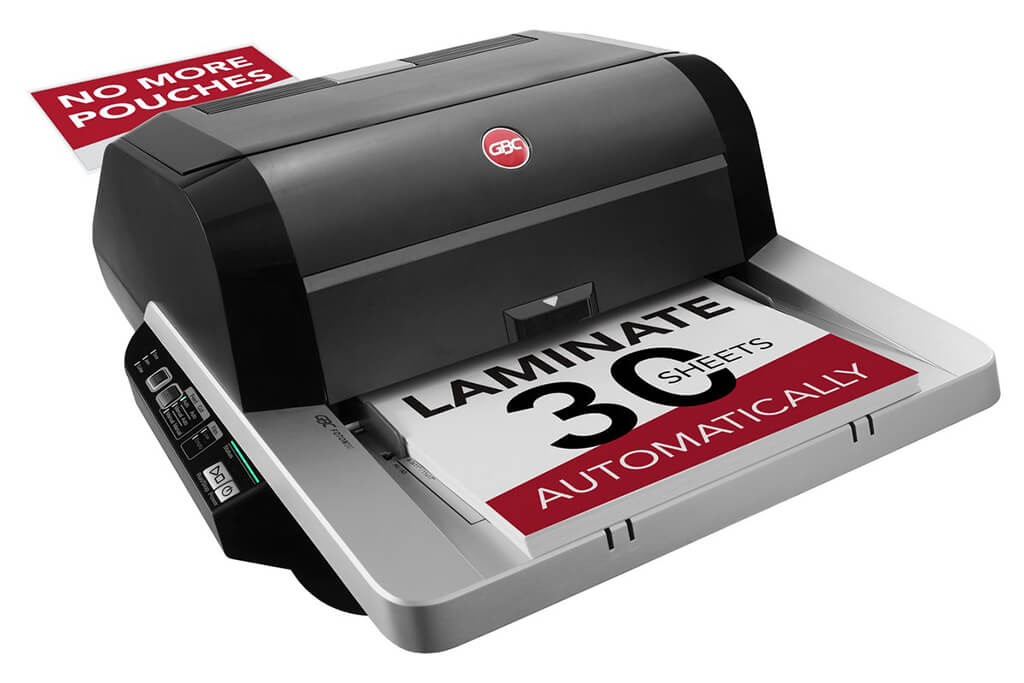
Image Source: ACCO Brands Corporation Official Site
(https://www.gbc-machines.com/products/gbc-foton-30-automatic-laminator)
(https://www.gbc-machines.com/products/gbc-foton-30-automatic-laminator)
Example facilities
Schools, hospitals, municipalities, etc.
Reasons for recommendation
Automates small-scale operations with fewer personnel
- With the push of a button, automatically laminates 30 sheets of A4 paper in 15 minutes. Its size allows it to be placed on a desk, making it easy to install.
- By fully automating the process from feeding to lamination, it enables the handling of jobs with low daily processing volumes in parallel with other operations.
The fact that it does not require dedicated operators or subsequent processes makes it suitable for small-scale sites.
| Maximum processing speed | 7.0 m/min |
|---|---|
| Maximum width | 297 mm (A3 compatible) |
| Warm-up | about 4 minutes |
| Processing type | roll type, double-sided (with borders) |
| Voltage (CE) | AC220 to 240V |
| Main unit dimensions | W 580 mm / D 440 mm / H 250 mm |
[About 1,000+ sheets per month]
Medium-lot production
Medium-lot production
Revo-Flex
(Lami Corporation)
(Lami Corporation)
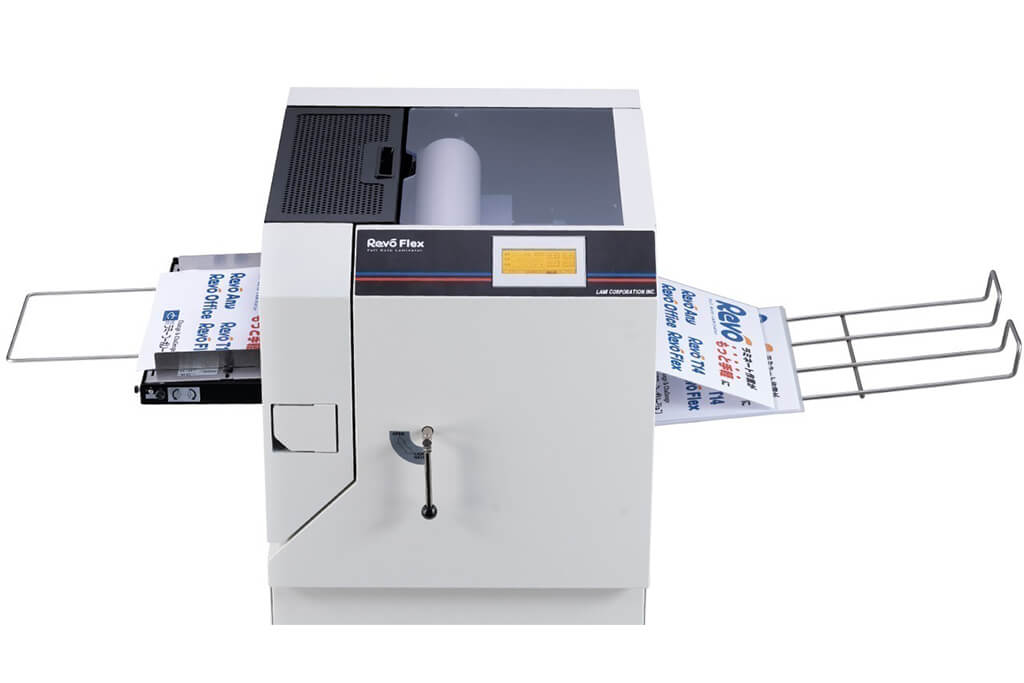
Image source: LAMI Corporation Official Website
(https://www.lami-corporation.co.jp/english/products/detail/51)
(https://www.lami-corporation.co.jp/english/products/detail/51)
Example facilities
Output centers, design offices, franchise headquarters, etc.
Reasons for recommendation
High-mix, fast-turnaround jobs are efficient through process reduction
- Completes trimming simultaneously with lamination, eliminating the need to move to subsequent processes or separate equipment.
Eliminates bottlenecks that tend to occur in on-demand printing and production sites. - High-precision automatic four-side trimming reduces trimming errors resulting from manual work, reducing film loss and the hassle of reprinting.
Even at sites with high-mix, small-lot production, it processes efficiently with consistent quality.
| Maximum processing speed | 2.0 m/min |
|---|---|
| Maximum width | 320 mm (SRA3 standard) |
| Warm-up | about 5 minutes *1 |
| Processing type | roll type, double-sided (border on/off selectable) |
| Voltage (CE) | AC230V |
| Main unit dimensions | W 1,300 mm / D 610 mm / H 1,080 mm *2 |
[10,000+ sheets per month]
High-lot production
High-lot production
Mini 76 TH
(Autobond Laminating)
(Autobond Laminating)
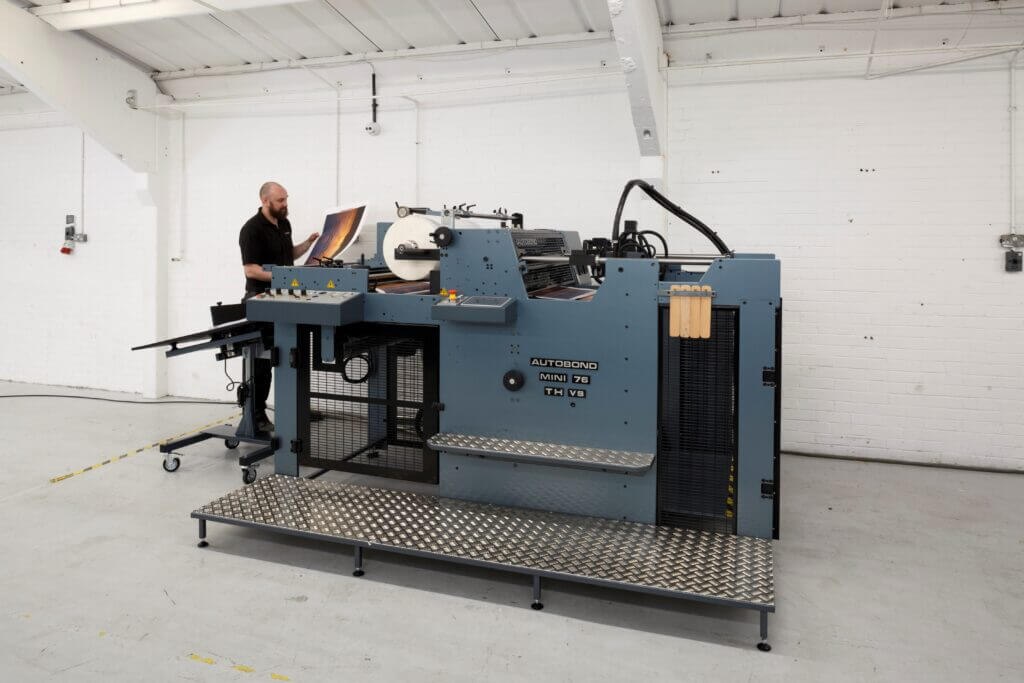
Image source: AUTOBOND Official Website
(https://www.autobondlaminating.com/machinery/thermal-lamination/mini/mini-76-th/)
(https://www.autobondlaminating.com/machinery/thermal-lamination/mini/mini-76-th/)
Example facilities
Printing factories, bookbinding lines, etc.
Reasons for recommendation
High-speed, continuous processing that can be integrated into mass-production lines
- Uses a steel side plate with a thickness of 20 mm described as sturdy like a tank. This rigid structure physically eliminates vibrations even at high-speed operations of 60 m per minute, maintaining stable processing accuracy.
- With a processing capacity of 60 m per minute, it can continuously handle large-format prints stably.
It demonstrates its true value when introduced as a part of a production line rather than as a standalone machine.
| Maximum processing speed | 60.0 m/min |
|---|---|
| Maximum width | 760 mm (B1+ compatible) |
| Warm-up | inquire for details |
| Processing type | roll type, single-sided or double-sided (borderless) |
| Voltage (CE) | inquire for details |
| Main unit dimensions | inquire for details |
*1. At 100°C (212°F) setting
*2. Dimensions when assembled, including the stand, tray, etc.