
Automatic Laminator Hub » Basic Knowledge About Laminators » What to Know Before Choosing a Laminator
What to Know Before Choosing a Laminator
Choosing a laminator is not simply a matter of comparing price, sheet size, or processing speed. The right machine depends on what you need to laminate, how often you use it, which films or pouches it supports, and how well it fits into your day-to-day workflow.
This guide explains the basics to check before selecting a laminator, including how laminators work, the main types available, common problems to avoid, and the key specifications to review before purchase.
Note: Supported film thickness, compatible materials, maintenance requirements, warranty terms, and service availability vary by model, region, and supplier. Always confirm the latest specifications with the manufacturer or an authorised supplier before purchasing.
Key Takeaways
- Choose a laminator based on the materials, sheet size, processing volume, and workflow you need to support.
- Hot and cold lamination use different bonding methods and are suited to different materials.
- Pouch laminators are convenient for small batches, while roll laminators are better suited to continuous or higher-volume work.
- Film thickness, machine compatibility, and temperature settings all affect finish quality.
- For repeated business use, reliable feeding and automation can help reduce manual workload.
What Is a Laminator?
A laminator is a machine that applies a protective film to printed materials, documents, cards, signs, and other sheet-based items. Laminating helps protect materials from dirt, moisture, tearing, and frequent handling.
Laminators are used in offices, schools, public facilities, retail stores, print shops, and production environments. An office might use one for notices or ID cards, while a print shop may use one for menus, POS displays, covers, posters, and other customer-facing printed materials.
The purpose is simple, but the best laminator depends on the application. A small office that laminates a few sheets a week does not need the same machine as a workplace handling large batches every day. Before comparing models, clarify what you need to laminate, how often you laminate, and how consistent the finish needs to be.
How Laminators Work
Heat, Pressure, and Film Adhesion
Many laminators use heat and pressure to bond film to printed materials. In hot lamination, heat activates the adhesive layer of the film, while rollers press the film and material together to create a sealed finish.
If the temperature, pressure, or feeding conditions are not suitable, the finish may become uneven. Common issues include bubbles, wrinkles, weak adhesion, curling, and film peeling. These problems are often caused by mismatched film thickness, incorrect temperature settings, dirty rollers, or materials that are not suitable for the selected lamination method.
Because lamination depends on both the machine and the consumables, it is not enough to choose a laminator based only on size or speed. You also need to confirm that the film, pouch, or roll you plan to use is compatible with the machine.
Why Settings Matter
Temperature, speed, and pressure settings can all affect the final result. If the temperature is too low, the adhesive may not bond properly. If it is too high, the material may curl, warp, discolour, or become damaged, especially when working with heat-sensitive media.
Film thickness is also important. Thicker film can add rigidity and durability, but it may require higher heat, stronger pressure, or a wider feed gap. Using film that the machine does not support can lead to jams or poor finish quality.
When multiple people use the same laminator, simple operating rules can help prevent mistakes. Preset functions, clear loading instructions, and approved consumables are especially useful in busy workplaces.
Main Types of Laminators
Pouch Laminators
A pouch laminator uses individual laminating pouches. The user places the document inside the pouch and feeds it into the machine. This type is commonly used for office documents, cards, certificates, notices, small signs, and other items processed one sheet at a time.
Pouch laminators are generally easy to use and suitable for small batches. However, they may not be efficient when many sheets need to be processed continuously. If operators have to insert each item manually, wait for the output, and repeat the same task many times, manual handling can quickly become a bottleneck.
Roll Laminators
A roll laminator uses film supplied on a roll and is often suited to continuous processing, larger sheet sizes, and higher-volume work. Roll laminators are commonly used in print shops, copy centres, production environments, and workplaces that process posters, POS materials, covers, menus, and other printed products in batches.
Because roll laminators can process materials more continuously than pouch laminators, they are often more efficient for business use. However, they may require more installation space, correct film loading, and regular maintenance. Before choosing one, check the supported roll width, core diameter, film thickness, and operating space.
Hot and Cold Laminators
Hot laminators use heat and pressure to bond the film to the material. This method is widely used for general documents and printed materials that can withstand heat. It is a good option when durability and strong adhesion are important.
Cold laminators use pressure-sensitive adhesive film and do not rely on heat in the same way. This method is useful for heat-sensitive materials, such as certain photos, thermal paper, or printed items that may be damaged by high temperatures.
Neither method is always better. The right choice depends on the material, required finish, durability, and whether the item can tolerate heat.
| Type | Main feature | Suitable use |
|---|---|---|
| Pouch laminator | Uses individual pouches | Small batches, office documents, cards, and notices |
| Roll laminator | Uses roll film for continuous processing | Posters, POS materials, print shops, and production use |
| Hot laminator | Bonds film using heat and pressure | General printed materials and durable finishes |
| Cold laminator | Bonds film using pressure-sensitive adhesive | Photos, thermal paper, and heat-sensitive media |
Things to Check Before Choosing a Laminator
What Materials Will You Laminate?
Start by identifying the materials you plan to laminate. Common examples include office documents, cards, menus, signs, POS materials, photos, posters, covers, and printed sheets used in production or distribution.
Different materials may require different lamination methods. Standard paper may be suitable for hot lamination, while heat-sensitive media may require cold lamination. Printed surfaces, coatings, and ink types can also affect adhesion and finish quality.
If the material and lamination method are not compatible, the output may curl, peel, bubble, or become damaged. Before choosing a machine, confirm that your main materials are suitable for the laminator and film you plan to use.
What Sheet Size Do You Need?
Supported sheet size is another basic point to check. Many users focus on the maximum size, such as A4 or A3, but margins, trimming, and final use are also important.
For example, if you laminate menus or display materials, you may need enough extra film around the edges to seal the item properly. If you process multiple small items on one sheet and cut them afterwards, the machine must be able to feed the combined sheet size smoothly.
Choosing a machine that only meets your current minimum size may limit future use. If your workplace may handle larger printed materials later, it is worth checking models with a wider supported size range.
How Often Will You Use It?
Usage frequency has a major impact on machine selection. If you only laminate a few documents from time to time, a simple laminator may be sufficient. If you process many sheets every day or every week, speed, warm-up time, continuous operation, feeding reliability, and output handling become much more important.
In high-volume workflows, manual feeding can take more time than expected. Even when each sheet is processed quickly, repeated loading, alignment, and removal still require operator time. For business use, it is important to evaluate the entire workflow, not just the machine’s listed processing speed.
Which Film Thickness Is Compatible?
Laminating film thickness affects durability, flexibility, appearance, and cost. Thicker film can make the finished item more rigid and durable, while thinner film may be suitable for basic protection or short-term use.
However, not every laminator supports every film thickness. If the film is too thick for the machine, it may not feed properly. If the temperature or pressure is not suitable, adhesion may be weak or uneven. Always check the supported film thickness before purchasing film or pouches.
For ongoing use, also consider the availability and cost of consumables. A machine may seem affordable at first, but running costs can increase if compatible film is expensive, difficult to source, or only available from a limited number of suppliers.
How Much Manual Work Is Required?
Laminating involves more than feeding sheets into the machine. Operators may need to prepare materials, set the temperature, align sheets, load film, remove output, trim edges, check quality, clean rollers, and clear jams.
For occasional use, this manual work may not be a major concern. For repeated business use, however, small manual tasks can add up and reduce productivity. If several operators use the same machine, inconsistent operation can also affect output quality.
When comparing machines, check how much of the workflow can be simplified or automated. Automatic feeding, reliable alignment, easy film loading, preset settings, and smooth output handling can reduce operator workload in high-volume environments.
Common Laminating Problems and How to Avoid Them
Wrinkles and Bubbles
Wrinkles and bubbles are common laminating problems. They can occur when the temperature is too low or too high, the sheet is misaligned, the roller surface is dirty, or the film is not compatible with the machine.
To reduce these problems, use compatible film, check the correct temperature setting, keep the rollers clean, and feed materials straight into the machine. If the machine has different settings for film thickness, select the setting that matches the film you are using.
Jams and Misfeeds
Jams and misfeeds often happen when materials are inserted at an angle, unsupported thicknesses are used, or the film is loaded incorrectly. Forcing material through the machine can make the problem worse and may damage the rollers or internal components.
Before use, confirm the correct loading direction and supported material thickness. If a jam occurs, follow the manufacturer’s instructions instead of pulling the sheet out by force. In workplaces with multiple users, keeping basic troubleshooting instructions near the machine can help prevent damage.
Poor Adhesion or Peeling
Poor adhesion or peeling may occur when the temperature is too low, the film is not suitable for the material, or there is not enough sealed margin around the sheet. Surface coatings, ink, dust, and moisture can also affect bonding quality.
To help prevent peeling, choose the correct film, leave an appropriate margin, and make sure the material is clean and dry before laminating. If the problem continues, check whether the film type and machine settings are suitable for the material.
Pre-purchase Checklist
Before choosing a laminator, review the following points based on your actual workplace needs. These checks can help you avoid selecting a model that is too small, too manual, or incompatible with your materials.
| Check point | What to confirm |
|---|---|
| Application | Documents, signs, menus, cards, covers, posters, POS materials, or production materials |
| Supported size | Maximum sheet size and whether sealing or trimming margins are required |
| Film compatibility | Supported film thickness, pouch size, roll width, core diameter, and film type |
| Processing volume | How many sheets are processed per day, week, or month |
| Ease of use | Warm-up time, temperature control, feeding reliability, and preset functions |
| Maintenance | Roller cleaning, jam clearance, parts availability, and service support |
These points may seem simple, but they can have a major impact on day-to-day productivity. For business use, a laminator that fits the workflow can reduce wasted time, prevent output errors, and make operation easier for multiple users.
When to Consider a Fully Automatic Laminator
A fully automatic laminator may be worth considering when laminating becomes repetitive, time-consuming, or difficult to manage manually. This is especially true for workplaces that process large volumes of printed materials, such as print shops, copy centres, production environments, and facilities that regularly prepare signs, menus, covers, or POS materials.
If operators spend too much time feeding sheets one by one, adjusting settings, checking output, or repeating the same task, automation can help reduce manual workload. A fully automatic laminator can also support more reliable operation when the same type of work is repeated many times.
Automation is not necessary for every workplace. However, as processing volume increases, it becomes important to consider how much time and labour the laminating process requires as a whole. In that case, a fully automatic model may help improve efficiency and consistency.
FAQs About Laminator Basics
Q. What should I know before buying a laminator?
A. Before buying a laminator, confirm what materials you will laminate, what sheet size you need, how often you will use the machine, which film thicknesses are supported, and what maintenance is required.
Q. What is the difference between hot and cold lamination?
A. Hot lamination uses heat and pressure to bond the film to the material. Cold lamination uses pressure-sensitive adhesive film and is useful for materials that may be damaged by heat.
Q. Is a pouch laminator enough for business use?
A. A pouch laminator may be enough for small batches or occasional office use. For larger volumes, continuous processing, or repeated day-to-day work, a roll laminator or fully automatic laminator may be more efficient.
Q. Why do bubbles appear when laminating?
A. Bubbles may appear because of incorrect temperature settings, incompatible film, dirty rollers, misaligned feeding, or materials that are not suitable for the selected lamination method.
Q. When should I choose a fully automatic laminator?
A. Consider a fully automatic laminator when manual feeding takes too much time, processing volume is high, output quality needs to be consistent, or multiple operators use the machine regularly.
Conclusion
There are several important points to understand before choosing a laminator. The main factors are the materials you plan to laminate, the required sheet size, processing volume, film compatibility, and the amount of manual work involved.
For occasional use, a simple laminator may be sufficient. For repeated business use, however, workflow efficiency, feeding reliability, maintenance, and automation become more important. Understanding these basics will help you choose a laminator that better matches your actual operating environment.
[Advertisement]
[By production scale]
Three Fully Automatic Laminators
[By production scale]
Three Fully Automatic Laminators
When choosing a fully automatic laminator, it is important to base your decision on the volume you process in a day rather than the size of the main unit or equipment scale.
This is an introduction to fully automatic laminators that match the workload and operational style of different production scales.
Advertiser Disclosure:
We receive compensation from some of the companies listed below.This compensation may affect which companies are included and the order in which they appear.
[About 100+ sheets per month]
Small-lot production
Small-lot production
GBC Foton 30
(ACCO Brands Corporation)
(ACCO Brands Corporation)
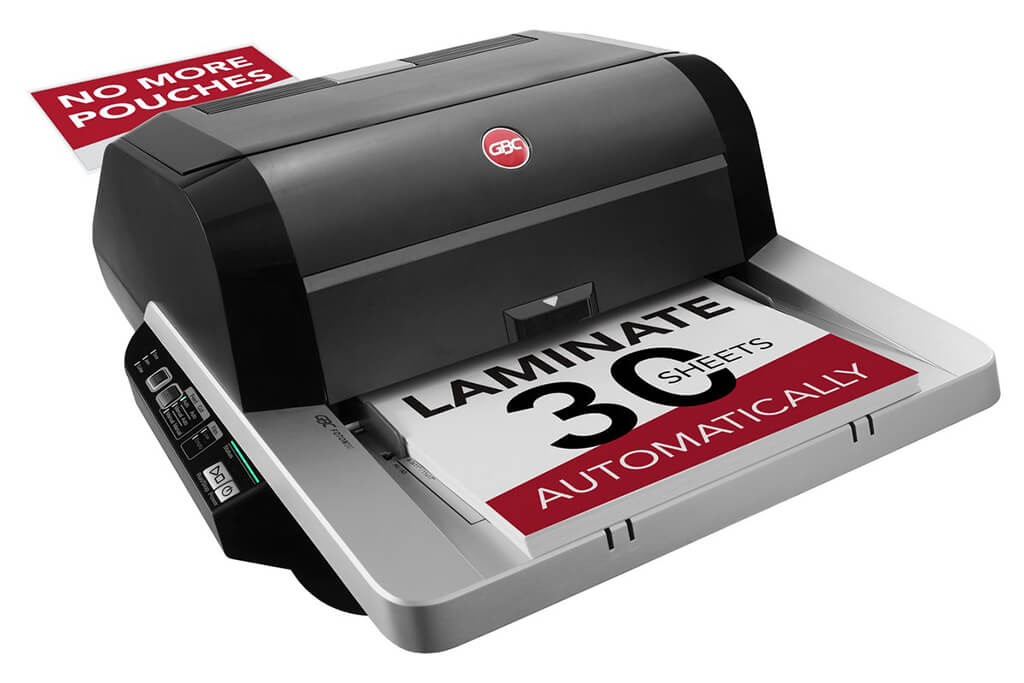
Image Source: ACCO Brands Corporation Official Site
(https://www.gbc-machines.com/products/gbc-foton-30-automatic-laminator)
(https://www.gbc-machines.com/products/gbc-foton-30-automatic-laminator)
Example facilities
Schools, hospitals, municipalities, etc.
Reasons for recommendation
Automates small-scale operations with fewer personnel
- With the push of a button, automatically laminates 30 sheets of A4 paper in 15 minutes. Its size allows it to be placed on a desk, making it easy to install.
- By fully automating the process from feeding to lamination, it enables the handling of jobs with low daily processing volumes in parallel with other operations.
The fact that it does not require dedicated operators or subsequent processes makes it suitable for small-scale sites.
| Maximum processing speed | 7.0 m/min |
|---|---|
| Maximum width | 297 mm (A3 compatible) |
| Warm-up | about 4 minutes |
| Processing type | roll type, double-sided (with borders) |
| Voltage (CE) | AC220 to 240V |
| Main unit dimensions | W 580 mm / D 440 mm / H 250 mm |
[About 1,000+ sheets per month]
Medium-lot production
Medium-lot production
Revo-Flex
(Lami Corporation)
(Lami Corporation)
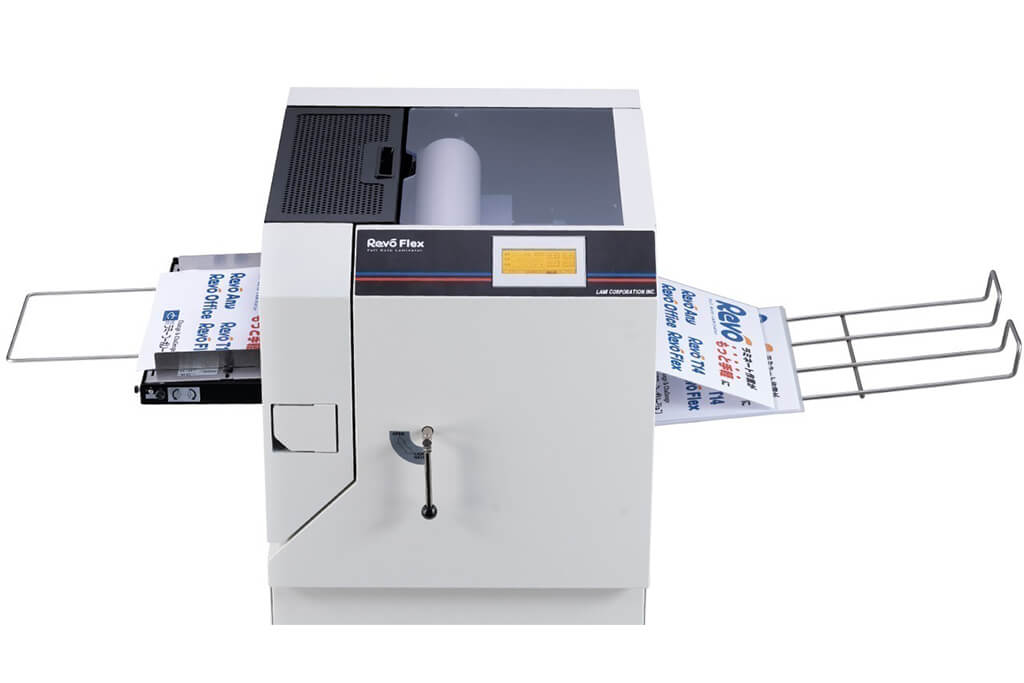
Image source: LAMI Corporation Official Website
(https://www.lami-corporation.co.jp/english/products/detail/51)
(https://www.lami-corporation.co.jp/english/products/detail/51)
Example facilities
Output centers, design offices, franchise headquarters, etc.
Reasons for recommendation
High-mix, fast-turnaround jobs are efficient through process reduction
- Completes trimming simultaneously with lamination, eliminating the need to move to subsequent processes or separate equipment.
Eliminates bottlenecks that tend to occur in on-demand printing and production sites. - High-precision automatic four-side trimming reduces trimming errors resulting from manual work, reducing film loss and the hassle of reprinting.
Even at sites with high-mix, small-lot production, it processes efficiently with consistent quality.
| Maximum processing speed | 2.0 m/min |
|---|---|
| Maximum width | 320 mm (SRA3 standard) |
| Warm-up | about 5 minutes *1 |
| Processing type | roll type, double-sided (border on/off selectable) |
| Voltage (CE) | AC230V |
| Main unit dimensions | W 1,300 mm / D 610 mm / H 1,080 mm *2 |
[10,000+ sheets per month]
High-lot production
High-lot production
Mini 76 TH
(Autobond Laminating)
(Autobond Laminating)
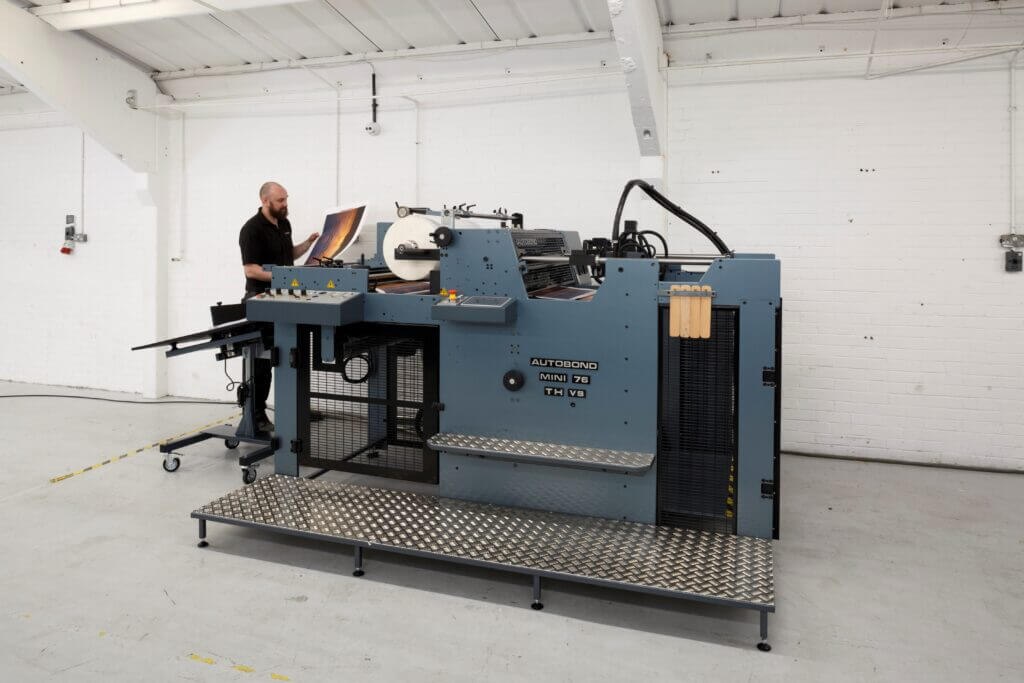
Image source: AUTOBOND Official Website
(https://www.autobondlaminating.com/machinery/thermal-lamination/mini/mini-76-th/)
(https://www.autobondlaminating.com/machinery/thermal-lamination/mini/mini-76-th/)
Example facilities
Printing factories, bookbinding lines, etc.
Reasons for recommendation
High-speed, continuous processing that can be integrated into mass-production lines
- Uses a steel side plate with a thickness of 20 mm described as sturdy like a tank. This rigid structure physically eliminates vibrations even at high-speed operations of 60 m per minute, maintaining stable processing accuracy.
- With a processing capacity of 60 m per minute, it can continuously handle large-format prints stably.
It demonstrates its true value when introduced as a part of a production line rather than as a standalone machine.
| Maximum processing speed | 60.0 m/min |
|---|---|
| Maximum width | 760 mm (B1+ compatible) |
| Warm-up | inquire for details |
| Processing type | roll type, single-sided or double-sided (borderless) |
| Voltage (CE) | inquire for details |
| Main unit dimensions | inquire for details |
*1. At 100°C (212°F) setting
*2. Dimensions when assembled, including the stand, tray, etc.