
Automatic Laminator Hub » Basic Knowledge About Laminators » In House Lamination vs Outsourcing: Essential Specifications
In House Lamination vs Outsourcing: Essential Specifications
Index
When transitioning from outsourcing to bringing lamination in-house, you may receive quotes from multiple vendors that are impossible to compare side-by-side due to mismatched conditions. To evaluate automated laminator quotes accurately, you must provide highly specific processing requirements upfront.
This article outlines the exact specifications you need to define and how to structure your Request for Quote (RFQ) to ensure all vendors bid on a level playing field.
Key Takeaways
- Vague specifications force vendors to make assumptions, making accurate cost comparisons impossible.
- Specify your exact operational workflow and requirements, not just a target machine model.
- Calculate throughput based on actual expected operational rates—including setup time—rather than the catalog's maximum speed.
- Failing to define trimming requirements hides the downstream labor costs associated with manual cutting.
- Electrical specifications and installation logistics frequently trigger hidden post-contract fees.
The Cost of Misaligned Quote Assumptions
If you fail to specify your exact needs, vendors will quote their default configurations. Consequently, price differences will merely reflect disparities in machine capabilities and bundled services, not true value.
Without strict parameters, each supplier dictates what accessories, maintenance, and installation fees to include. You end up comparing entirely different packages rather than competing bids for the "same machine." If one vendor excludes freight and electrical work, your final capital expenditure will spike unexpectedly. As the buyer, you must establish the baseline.
This is a universal procurement principle used when sourcing CNC machines, sheet metal equipment, and other heavy industrial assets.
Reference 1: Uneed (https://www.uneedpm.com/cnc-machining-rfq-template-guide/)
Reference 2: Avanti Engineering (https://avantiengineering.com/high-volume-machining-rfq-checklist/)
9 Essential Specifications to Define
When issuing an RFQ, provide explicit numbers and conditions for the following nine categories. These act as the critical baseline for an apples-to-apples comparison.
| # | Category | Why It Matters | Example Specification |
|---|---|---|---|
| 1 | Max/Min Sheet Dimensions | Exceeding these limits shifts the class and cost of the proposed machine. | Max: A3, Min: Postcard size |
| 2 | Film Thickness Range and Type | Certain machines cannot process specific material types or thicknesses. | Requires support for 100 to 250 microns |
| 3 | Effective Throughput | Catalog maximum speeds do not reflect real-world operational pacing. | Target: 300 sheets per hour, inclusive of film changes and setup |
| 4 | Trimming Requirements | Post-lamination cutting directly impacts downstream labor costs. | Requires 4-sided flush trim / Encapsulated border is acceptable |
| 5 | Electrical Specifications | Requiring dedicated electrical lines drastically alters initial installation costs. | Must operate on standard single-phase 100V/110V; no dedicated circuit installation allowed |
| 6 | Footprint and Installation Routing | Prevents scenarios where the machine cannot fit through doors or into the allocated workspace. | Max footprint width: 1,500mm. Must clear an 800mm wide elevator door |
| 7 | Consumables Availability and Compatibility | Using proprietary vs. generic films heavily impacts long-term running costs. | Need confirmation if standard off-the-shelf generic films are compatible |
| 8 | Maintenance and Response Time | Machine downtime directly translates to delayed production schedules. | Require on-site support availability and estimated response time in days |
| 9 | Compatibility with Specialty Paper and Digital Prints | Certain toners and paper stocks cause film adhesion failures. | Will process heavy stock, coated paper, and on-demand digital toner prints |
Among these nine categories, buyers most frequently overlook effective throughput, trimming requirements, and electrical specifications.
Always calculate throughput based on actual operating conditions, factoring in setup and film replacement times. If you omit trimming requirements, you risk inheriting excessive manual cutting labor, negating the efficiency gains of automation. For power, explicitly verify whether the machine runs on your existing electrical infrastructure or demands expensive dedicated wiring.
3 Elements to Include in Your RFQ Document
Beyond the hard specifications, include context about your workload, current bottlenecks, and specific terms of purchase. Providing this operational context enables vendors to tailor their proposals to your exact business needs.
The Workload
Detail the types of prints, monthly volume, and the ratio of frequently handled sizes. By stating, "We process 5,000 sheets monthly: 80% A4 and 20% business card size," vendors can recommend a machine with the appropriate durability and duty cycle for your realities.
Current Bottlenecks
Clearly identify your most time-consuming processes and production chokepoints. Communicating issues like "manual post-lamination trimming consumes too much labor" or "frequent reprints due to film wrinkles and bubbles" ensures that vendors include targeted solutions in their proposals.
Terms to Confirm
Demand clarity on the lead time from purchase order to delivery, and explicitly ask what phases of installation the quote covers. If you require test runs using your own printed materials, state this upfront, though be aware that demonstration availability varies by supplier.
How to Build a Quote Comparison Matrix
Never compare just the base machine prices. Construct a matrix that aligns total costs—including consumables, maintenance, and installation fees—on the same row for each vendor.
Set up your rows to track base price, the volume of included starter film, freight and installation charges, annual or ad-hoc maintenance fees, and the unit cost of everyday film rolls. Because one vendor might bake freight into the base price while another lists it separately, segregating these line items reveals exactly what is included and what triggers extra charges.
Ultimately, calculate the Total Cost of Ownership (TCO) by adding the initial capital expenditure to a defined period of consumable costs, then divide by your expected volume. This converts the investment into a cost-per-sheet metric for accurate comparison. Click here for a guide on calculating per-sheet costs.
Specific Conditions to Verify for Fully Automatic Laminators
When evaluating a fully automatic laminator, you must proactively verify the machine's exact trimming scope and how it handles mixed-size batches.
For trimming scope, determine if the machine executes a 4-sided flush trim or merely cuts the leading and trailing edges; this dictates whether manual labor remains downstream. Furthermore, if your workflow alternates between A4 and A3 sizes, find out if the machine requires manual downtime for setting adjustments or if it can process mixed sizes continuously. If multiple operators will share the equipment, gauge the learning curve required for proficiency.
Refer to the following guides: Understanding the Different Levels of Trimming, Pre-Purchase Baseline Checklist, and Approaches to Maintenance.
FAQ
- Q. What must we finalize before requesting a quote?
- A. You must map out the exact operational parameters your workflow demands, including target media sizes, thickness, and estimated monthly throughput.
- Q. How should we communicate our throughput requirements?
- A. Ignore the catalog maximums. State your actual expected hourly yield, factoring in realistic downtime for setup and film replacement.
- Q. How do we define our trimming requirements?
- A. Describe your exact final finish requirements, specifying whether you need an encapsulated margin or a borderless, flush-trimmed result.
- Q. Can we request a test run?
- A. Yes, you can request test processing using your own print samples, but demonstration availability and specific conditions vary by vendor.
- Q. What fees are most commonly excluded from initial quotes?
- A. Vendors frequently exclude complex freight charges (like multi-story rigging without elevators) and installation costs for dedicated electrical circuits, billing them separately.
Conclusion
When comparing quotes, the golden rule is to specify your operational requirements, not a machine model. This structured approach is especially vital when analyzing the ROI of in house lamination vs outsourcing.
By defining the nine core specifications and structuring your RFQ with operational context, you force all vendors to submit bids on a level playing field based on identical assumptions.
[By production scale]
Three Fully Automatic Laminators
Three Fully Automatic Laminators
When choosing a fully automatic laminator, it is important to base your decision on the volume you process in a day rather than the size of the main unit or equipment scale.
This is an introduction to fully automatic laminators that match the workload and operational style of different production scales.
[About 100+ sheets per month]
Small-lot production
Small-lot production
GBC Foton 30
(ACCO Brands Corporation)
(ACCO Brands Corporation)
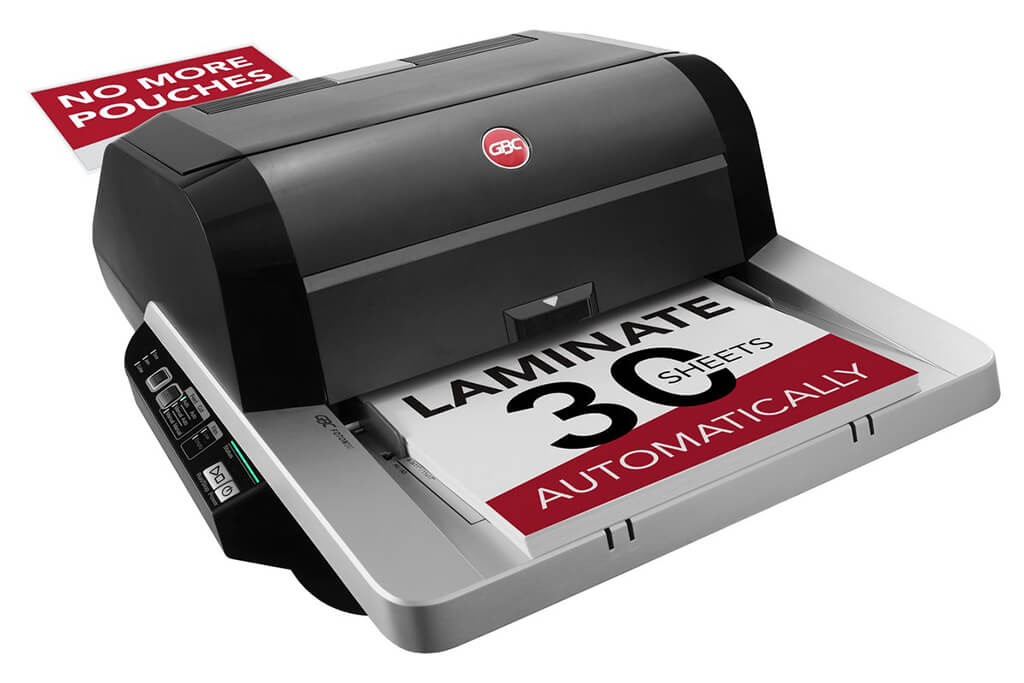
Image Source: ACCO Brands Corporation Official Site
(https://www.gbc-machines.com/products/gbc-foton-30-automatic-laminator)
(https://www.gbc-machines.com/products/gbc-foton-30-automatic-laminator)
Example facilities
Schools, hospitals, municipalities, etc.
Reasons for recommendation
Automates small-scale operations with fewer personnel
- With the push of a button, automatically laminates 30 sheets of A4 paper in 15 minutes. Its size allows it to be placed on a desk, making it easy to install.
- By fully automating the process from feeding to lamination, it enables the handling of jobs with low daily processing volumes in parallel with other operations.
The fact that it does not require dedicated operators or subsequent processes makes it suitable for small-scale sites.
| Maximum processing speed | 7.0 m/min |
|---|---|
| Maximum width | 297 mm (A3 compatible) |
| Warm-up | about 4 minutes |
| Processing type | roll type, double-sided (with borders) |
| Voltage (CE) | AC220 to 240V |
| Main unit dimensions | W 580 mm / D 440 mm / H 250 mm |
[About 1,000+ sheets per month]
Medium-lot production
Medium-lot production
Revo-Flex
(Lami Corporation)
(Lami Corporation)
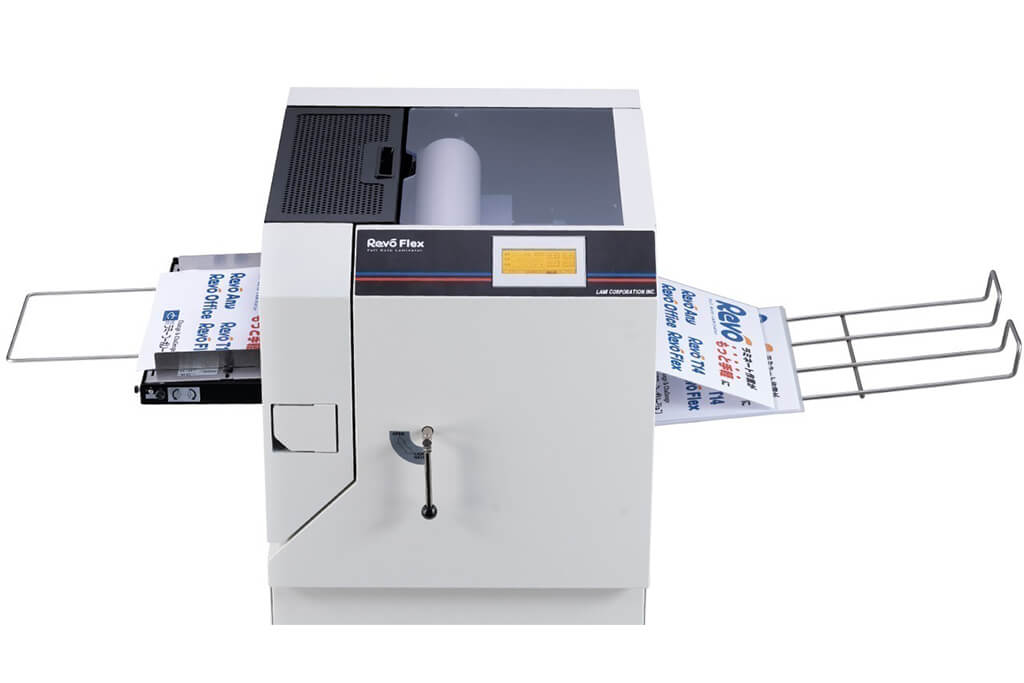
Image source: LAMI Corporation Official Website
(https://www.lami-corporation.co.jp/english/products/detail/51)
(https://www.lami-corporation.co.jp/english/products/detail/51)
Example facilities
Output centers, design offices, franchise headquarters, etc.
Reasons for recommendation
High-mix, fast-turnaround jobs are efficient through process reduction
- Completes trimming simultaneously with lamination, eliminating the need to move to subsequent processes or separate equipment.
Eliminates bottlenecks that tend to occur in on-demand printing and production sites. - High-precision automatic four-side trimming reduces trimming errors resulting from manual work, reducing film loss and the hassle of reprinting.
Even at sites with high-mix, small-lot production, it processes efficiently with consistent quality.
| Maximum processing speed | 2.0 m/min |
|---|---|
| Maximum width | 320 mm (SRA3 standard) |
| Warm-up | about 5 minutes *1 |
| Processing type | roll type, double-sided (border on/off selectable) |
| Voltage (CE) | AC230V |
| Main unit dimensions | W 1,300 mm / D 610 mm / H 1,080 mm *2 |
[10,000+ sheets per month]
High-lot production
High-lot production
Mini 76 TH
(Autobond Laminating)
(Autobond Laminating)
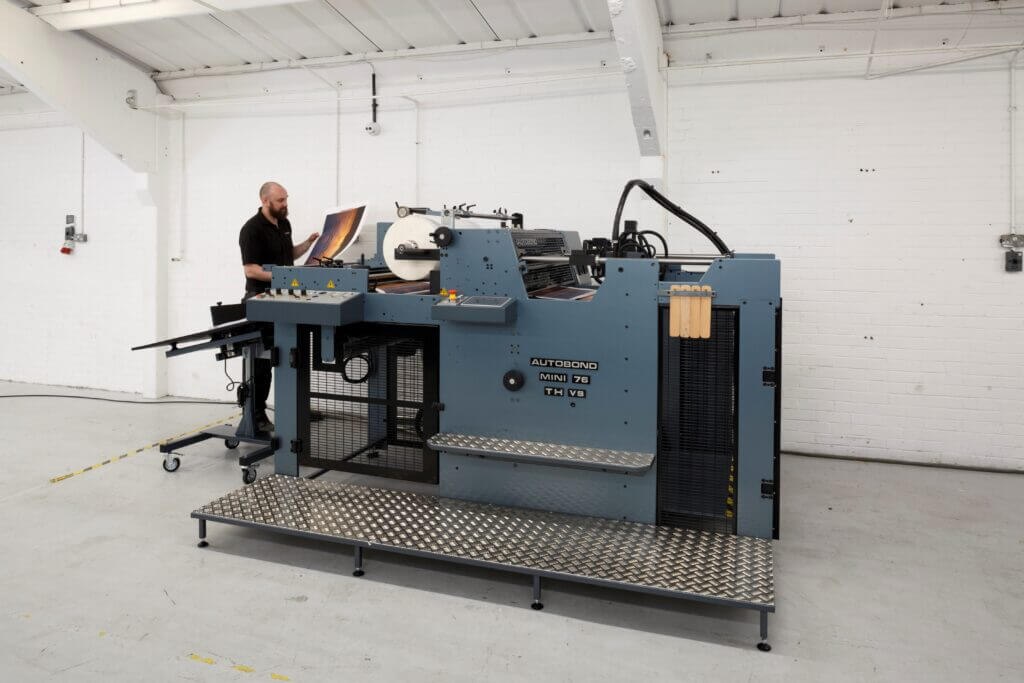
Image source: AUTOBOND Official Website
(https://www.autobondlaminating.com/machinery/thermal-lamination/mini/mini-76-th/)
(https://www.autobondlaminating.com/machinery/thermal-lamination/mini/mini-76-th/)
Example facilities
Printing factories, bookbinding lines, etc.
Reasons for recommendation
High-speed, continuous processing that can be integrated into mass-production lines
- Uses a steel side plate with a thickness of 20 mm described as sturdy like a tank. This rigid structure physically eliminates vibrations even at high-speed operations of 60 m per minute, maintaining stable processing accuracy.
- With a processing capacity of 60 m per minute, it can continuously handle large-format prints stably.
It demonstrates its true value when introduced as a part of a production line rather than as a standalone machine.
| Maximum processing speed | 60.0 m/min |
|---|---|
| Maximum width | 760 mm (B1+ compatible) |
| Warm-up | inquire for details |
| Processing type | roll type, single-sided or double-sided (borderless) |
| Voltage (CE) | inquire for details |
| Main unit dimensions | inquire for details |
*1. At 100°C (212°F) setting
*2. Dimensions when assembled, including the stand, tray, etc.