
Hot vs Cold Lamination
Index
Hot and cold lamination both protect printed materials with a plastic film, but they bond that film in completely different ways. The method you choose affects durability, finish, running speed, and — most importantly — whether the material you are laminating can safely be used at all.
This guide explains how hot and cold lamination work, the pros and cons of each, and how to choose between them. It gives particular attention to heat-sensitive materials such as thermal paper and certain photos, where using the wrong method can ruin the item.
Note: Supported lamination method, operating temperature, and compatible films vary by laminator model and film type. Some machines support only one method. Always confirm the machine's capabilities and the film supplier's guidance before laminating heat-sensitive materials.
Key Takeaways
- Hot lamination uses heat to activate an adhesive and bond the film; cold lamination uses a pressure-sensitive adhesive and no heat.
- Hot lamination gives a stronger, stiffer, more permanent finish and is cost-effective for large batches of heat-tolerant materials.
- Cold lamination is generally the appropriate choice for heat-sensitive materials such as thermal paper and some photographs.
- Before laminating, confirm whether your machine supports hot, cold, or both — and match the method to the material.
What Is Hot Lamination?
Hot lamination applies heat to activate an adhesive layer on the film, which then bonds to the material as it passes through the rollers. The heat creates a clear, strong seal around the document.
It is the most common method for general printed materials that can tolerate heat — posters, signs, menus, covers, and documents that need a durable, professional finish. Because it produces a rigid, water-resistant result and runs efficiently over long batches, it is well suited to high-volume business use.
What Is Cold Lamination?
Cold lamination uses a pressure-sensitive adhesive instead of heat. The film bonds to the material through pressure from the rollers alone, so no warm-up or heating is required. This makes it the method of choice whenever heat could damage the material.
Cold lamination is used for thermal paper, certain photographs, and other heat-sensitive or delicate printed materials. It is also convenient for quick jobs, because there is no waiting for the machine to warm up, and it avoids the hot surfaces associated with hot lamination.
Hot vs Cold: Side-by-Side Comparison
| Factor | Hot lamination | Cold lamination |
|---|---|---|
| Bonding method | Heat-activated adhesive | Pressure-sensitive adhesive |
| Heat used | Yes | No heat |
| Durability / stiffness | Stronger, more rigid, water-resistant | Generally less rigid |
| Warm-up time | Needs a few minutes | None — ready immediately |
| Heat-sensitive materials | Generally not suitable | Suitable |
| Best for large batches | Cost-effective at volume | Better for small or delicate jobs |
Pros and Cons of Hot Lamination
Advantages
Hot lamination produces a strong, more permanent bond than cold lamination. It fully encapsulates the material, making it water-resistant, stiff, and harder to tamper with. For large batches of heat-tolerant materials, it is also the more cost-effective method.
Drawbacks
The heat that makes hot lamination strong is also its main limitation. High temperatures can cause certain inkjet inks to bleed, thin plastics to warp, and — critically — thermal paper such as receipts or some medical printouts to blacken completely. Hot laminators also need a few minutes to warm up, which can slow quick, one-off jobs.
Pros and Cons of Cold Lamination
Advantages
Cold lamination works without heat, so it is suitable for thermal paper, some photographs, and other delicate materials. There is no warm-up wait, making it convenient for small or urgent jobs, and it avoids the hot surfaces associated with hot lamination — a useful safety benefit in classrooms or offices where untrained staff handle the equipment.
Drawbacks
Cold lamination generally produces a less rigid seal than hot lamination, and the pressure-sensitive adhesive may not bond as effectively to thicker materials or uneven surfaces. For heavy-duty durability on heat-tolerant materials, hot lamination is usually the stronger choice.
Which Materials Need Which Method?
The deciding question is almost always whether the material can tolerate heat. If the item is heat-sensitive, cold lamination is generally the appropriate option; if it is heat-tolerant and needs durability, hot lamination is usually best.
| Material | Recommended method | Why |
|---|---|---|
| Standard printed documents, posters, signs | Hot | Heat-tolerant; benefits from a durable, rigid finish |
| Menus, covers, frequently handled items | Hot | Needs stiffness and water resistance |
| Thermal paper (receipts, some medical printouts) | Cold | Heat can blacken thermal paper |
| Certain photographs and delicate prints | Cold | Heat can damage the surface or inks |
| Some inkjet or wax-based prints | Check first / cold | Heat can cause bleeding — confirm before hot laminating |
When in doubt, test on a scrap or spare copy first, and confirm the film supplier's guidance. Using the wrong method can cause poor adhesion, damage, or unusable output.
How Method Choice Affects Machine Selection
Not every laminator supports both methods. Some machines are hot-only, some are cold-only, and some support both. Before buying film — or a machine — confirm which method it supports and whether that matches the materials you handle most.
For most business printed materials, hot lamination on a roll or pouch machine covers the bulk of the work. If you regularly handle thermal paper or heat-sensitive prints, make sure cold capability is available. For high-volume production, choosing a machine whose supported method matches your typical materials avoids reworking jobs on the wrong film.
FAQs About Hot vs Cold Lamination
Q. What is the main difference between hot and cold lamination?
A. Hot lamination uses heat to activate an adhesive and bond the film, giving a strong, rigid finish. Cold lamination uses a pressure-sensitive adhesive and no heat, which makes it suitable for heat-sensitive materials.
Q. Can you laminate thermal paper?
A. Yes, but only with a suitable cold-lamination method. The heat used in hot lamination can turn thermal paper — such as receipts and some medical printouts — completely black. Use a cold method that is approved for the material and film.
Q. Which is more durable, hot or cold lamination?
A. Hot lamination generally produces a stronger, stiffer, more water-resistant seal. Cold lamination is less rigid but is the appropriate option where heat would damage the material.
Q. Does cold lamination need a warm-up?
A. No. Cold laminators use pressure to activate the adhesive rather than heat, so there is no warm-up period, making them convenient for quick or small jobs.
Q. Can one machine do both hot and cold lamination?
A. Some machines support both, but many are hot-only or cold-only. Confirm the machine's supported method before purchasing film or relying on it for heat-sensitive materials.
Conclusion
Hot and cold lamination protect materials in different ways. Hot lamination activates an adhesive with heat for a strong, rigid, water-resistant finish and is cost-effective for large batches of heat-tolerant materials. Cold lamination bonds with pressure alone, making it the convenient, warm-up-free choice for thermal paper, some photographs, and other heat-sensitive items.
Match the method to the material first, then to the machine. To go deeper on machine types, see the hot roll laminator and pouch laminator guides, and review how to choose laminating rolls and films to confirm the right film for your chosen method.
[By production scale]
Three Fully Automatic Laminators
Three Fully Automatic Laminators
When choosing a fully automatic laminator, it is important to base your decision on the volume you process in a day rather than the size of the main unit or equipment scale.
This is an introduction to fully automatic laminators that match the workload and operational style of different production scales.
[About 100+ sheets per month]
Small-lot production
Small-lot production
GBC Foton 30
(ACCO Brands Corporation)
(ACCO Brands Corporation)
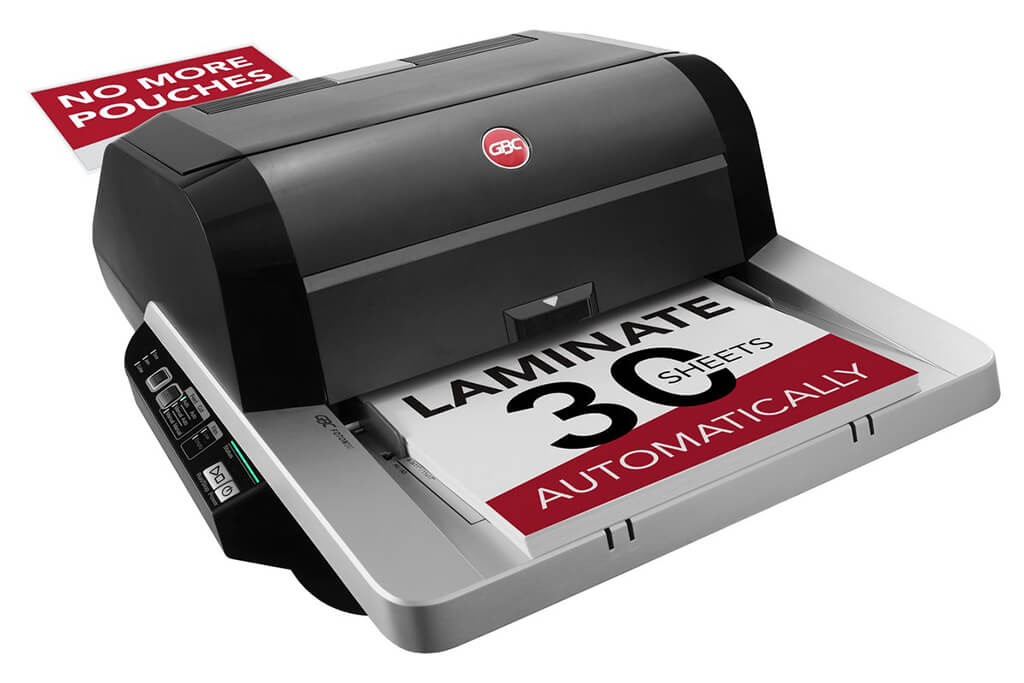
Image Source: ACCO Brands Corporation Official Site
(https://www.gbc-machines.com/products/gbc-foton-30-automatic-laminator)
(https://www.gbc-machines.com/products/gbc-foton-30-automatic-laminator)
Example facilities
Schools, hospitals, municipalities, etc.
Reasons for recommendation
Automates small-scale operations with fewer personnel
- With the push of a button, automatically laminates 30 sheets of A4 paper in 15 minutes. Its size allows it to be placed on a desk, making it easy to install.
- By fully automating the process from feeding to lamination, it enables the handling of jobs with low daily processing volumes in parallel with other operations.
The fact that it does not require dedicated operators or subsequent processes makes it suitable for small-scale sites.
| Maximum processing speed | 7.0 m/min |
|---|---|
| Maximum width | 297 mm (A3 compatible) |
| Warm-up | about 4 minutes |
| Processing type | roll type, double-sided (with borders) |
| Voltage (CE) | AC220 to 240V |
| Main unit dimensions | W 580 mm / D 440 mm / H 250 mm |
[About 1,000+ sheets per month]
Medium-lot production
Medium-lot production
Revo-Flex
(Lami Corporation)
(Lami Corporation)
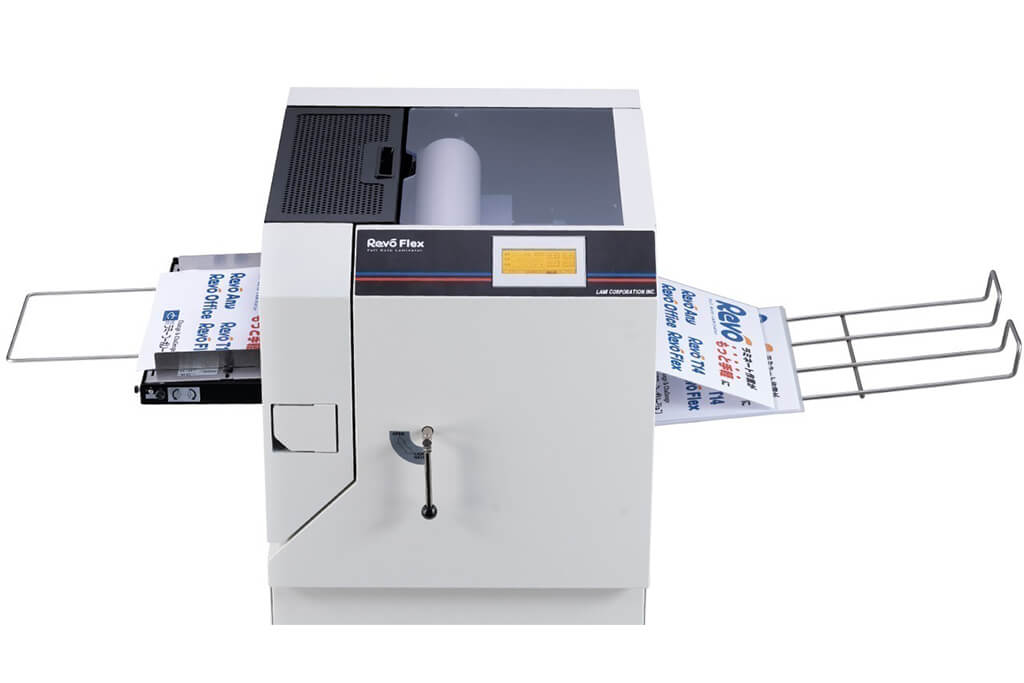
Image source: LAMI Corporation Official Website
(https://www.lami-corporation.co.jp/english/products/detail/51)
(https://www.lami-corporation.co.jp/english/products/detail/51)
Example facilities
Output centers, design offices, franchise headquarters, etc.
Reasons for recommendation
High-mix, fast-turnaround jobs are efficient through process reduction
- Completes trimming simultaneously with lamination, eliminating the need to move to subsequent processes or separate equipment.
Eliminates bottlenecks that tend to occur in on-demand printing and production sites. - High-precision automatic four-side trimming reduces trimming errors resulting from manual work, reducing film loss and the hassle of reprinting.
Even at sites with high-mix, small-lot production, it processes efficiently with consistent quality.
| Maximum processing speed | 2.0 m/min |
|---|---|
| Maximum width | 320 mm (SRA3 standard) |
| Warm-up | about 5 minutes *1 |
| Processing type | roll type, double-sided (border on/off selectable) |
| Voltage (CE) | AC230V |
| Main unit dimensions | W 1,300 mm / D 610 mm / H 1,080 mm *2 |
[10,000+ sheets per month]
High-lot production
High-lot production
Mini 76 TH
(Autobond Laminating)
(Autobond Laminating)
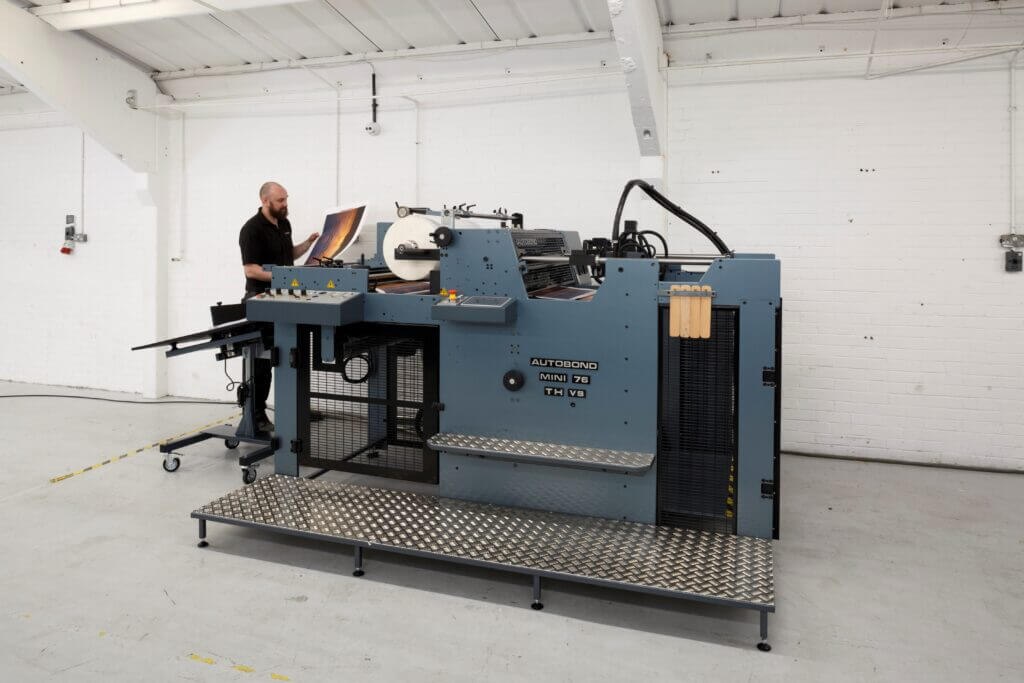
Image source: AUTOBOND Official Website
(https://www.autobondlaminating.com/machinery/thermal-lamination/mini/mini-76-th/)
(https://www.autobondlaminating.com/machinery/thermal-lamination/mini/mini-76-th/)
Example facilities
Printing factories, bookbinding lines, etc.
Reasons for recommendation
High-speed, continuous processing that can be integrated into mass-production lines
- Uses a steel side plate with a thickness of 20 mm described as sturdy like a tank. This rigid structure physically eliminates vibrations even at high-speed operations of 60 m per minute, maintaining stable processing accuracy.
- With a processing capacity of 60 m per minute, it can continuously handle large-format prints stably.
It demonstrates its true value when introduced as a part of a production line rather than as a standalone machine.
| Maximum processing speed | 60.0 m/min |
|---|---|
| Maximum width | 760 mm (B1+ compatible) |
| Warm-up | inquire for details |
| Processing type | roll type, single-sided or double-sided (borderless) |
| Voltage (CE) | inquire for details |
| Main unit dimensions | inquire for details |
*1. At 100°C (212°F) setting
*2. Dimensions when assembled, including the stand, tray, etc.