
Automatic Laminator Hub » Laminator Purchase Guide [by Facility Type]
Laminator Purchase Guide [by Facility Type]
Index
This guide is designed for corporate buyers planning to introduce a laminator or replace an existing one. It explains how to choose the right laminator for your facility, how the level of automation can vary depending on the model, and the key checkpoints to help you avoid a mismatch after purchase.
Laminating Patterns by Facility Type
The materials you laminate, the sizes you handle, and how often you laminate will vary by facility. Start by using the table below to identify which category best matches your operation.
| Facility type | Typical items laminated | Typical sizes | Typical monthly volume (approx.) |
|---|---|---|---|
| General offices | Internal notices Meeting handouts Presentation materials, etc. |
Mainly standard sizes (A4 / A3) | Small-scale (up to 500 sheets / month) *Processed intermittently |
| Print shops Copy centres |
Brochure covers Catalog covers POP and promotional print materials, etc. |
Mainly varied / custom sizes; standard sizes also supported | Medium-scale (about 1,000 to 5,000 sheets / month) *Continuous processing as a daily operation |
| Printing factories Bookbinding lines |
Mass-produced posters Large-lot promotional materials Continuously processed covers, etc. |
Mainly standard sizes; custom and large formats also supported | Large-scale (10,000+ sheets / month) *Continuous, high-volume processing on a daily basis |
If you mainly laminate standard sizes and the number of sheets is relatively low, a manual feed type will usually be sufficient.
If you laminate both standard and custom sizes on a regular basis, an auto-feeding model is more efficient. If your operation requires high-mix, high-volume, and continuous running, you’ll need a high-durability industrial model.
Laminators for General Office Use
If you laminate 500 sheets or fewer per month, an entry-level model with simple operation is a good fit. Because laminators are often used right before meetings, choosing a model with a short warm-up time—so it’s ready soon after switching on—helps keep work moving without delays.
Professional laminators for design offices,
print shops, and copy centres
In these environments, the best fit is a model that combines flexibility—handling a wide range of paper sizes and thicknesses—with the durability to process several hundred sheets per day.
Even better are models that deliver a clean, professional finish, along with temperature and speed adjustment features to help reduce processing time.
Industrial laminators for printing factories and bookbinding lines
Because these operations run continuous daily processing of hundreds to thousands of sheets, a robust build that can withstand 24-hour operation and high-speed throughput is essential. To minimise operator workload, choose a line-ready model with advanced automation, covering everything from feeding through to trimming.
Differences in the range of automation
The extent of automation varies by model. Below is a breakdown of what automation can achieve at each stage of the process.
- Film loading: Helps prevent loading errors such as incorrect film orientation, misaligned cores, and fingerprints or dirt on the film
- Threading onto rollers: Helps prevent incorrect wrap angles, slack, and wrinkles
- Film thickness detection: Helps prevent defects such as whitening and waviness
- Temperature control: Helps prevent defects such as waviness and silvering
- Speed control: Helps prevent defects such as poor adhesion and heat damage
- Feeding: Load a stack of sheets and press a button—no manual feeding required
- Output (auto discharge / auto return): Collect sheets without leaving the infeed side
- Slitting & trimming: Automatically trims laminate margins
- Auto power-off: Helps prevent leaving the machine on by mistake
In general, many companies tend to use the term fully automatic laminator for models that automate the process up to the feeding stage.
In workplaces handling high volumes and aiming to reduce manual labour, fully automatic units are extremely effective. Simply load the paper into the tray and press start—then you can step away to focus on other tasks—dramatically boosting productivity.
The Right Machine Depends on Your Production Scale
For example, if you run small batches, ease of installation and implementation is key. For medium-batch operations handling a wide product mix, the scope of automation becomes the priority. For high-volume sites that frequently deliver by roll or perform batch trimming, continuous processing will be central.
On this site, we introduce recommended fully automatic laminators by production scale. If you want to find the best machine for your business, please take a look.
Key Checkpoints to Prevent Post-Purchase Problems
This section explains five key checkpoints to help prevent problems after purchase—covering both safety and day-to-day operation.
1. Power supply, voltage, and plug type
Because voltage and plug designs can vary by country across Europe, choose a model that matches the power standards of the country where it will be installed. For industrial models, confirm in advance whether dedicated electrical work is required.
2. Space and workflow
Check not only the installation footprint, but also whether you can secure enough space for paper loading and output, as well as clear operator walkways and working room.
3. Safety features
Make sure the machine includes functions that protect operators, such as an emergency stop button and safety covers to prevent entanglement.
4. Ease of maintenance
Confirm day-to-day maintainability—e.g., whether the design makes roller cleaning easy and whether you can access the internal area quickly if a film jam occurs.
5. Ease of operation
Intuitive operation matters—touch panels, icon-based displays, and controls that can be used without constantly referring to a manual. Helpful extras include memory presets for frequently used settings and on-screen guidance that visually indicates where an error has occurred, so even non-experts can use the machine confidently.
[By production scale]
Three Fully Automatic Laminators
Three Fully Automatic Laminators
When choosing a fully automatic laminator, it is important to base your decision on the volume you process in a day rather than the size of the main unit or equipment scale.
This is an introduction to fully automatic laminators that match the workload and operational style of different production scales.
[About 100+ sheets per month]
Small-lot production
Small-lot production
GBC Foton 30
(ACCO Brands Corporation)
(ACCO Brands Corporation)
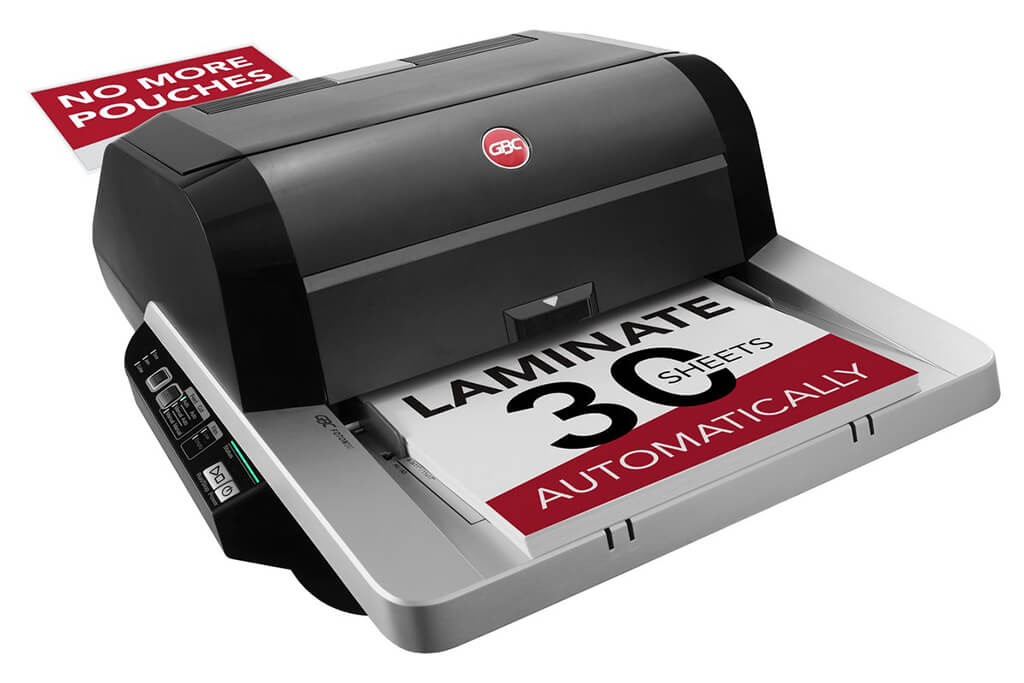
Image Source: ACCO Brands Corporation Official Site
(https://www.gbc-machines.com/products/gbc-foton-30-automatic-laminator)
(https://www.gbc-machines.com/products/gbc-foton-30-automatic-laminator)
Example facilities
Schools, hospitals, municipalities, etc.
Reasons for recommendation
Automates small-scale operations with fewer personnel
- With the push of a button, automatically laminates 30 sheets of A4 paper in 15 minutes. Its size allows it to be placed on a desk, making it easy to install.
- By fully automating the process from feeding to lamination, it enables the handling of jobs with low daily processing volumes in parallel with other operations.
The fact that it does not require dedicated operators or subsequent processes makes it suitable for small-scale sites.
| Maximum processing speed | 7.0 m/min |
|---|---|
| Maximum width | 297 mm (A3 compatible) |
| Warm-up | about 4 minutes |
| Processing type | roll type, double-sided (with borders) |
| Voltage (CE) | AC220 to 240V |
| Main unit dimensions | W 580 mm / D 440 mm / H 250 mm |
[About 1,000+ sheets per month]
Medium-lot production
Medium-lot production
Revo-Flex
(Lami Corporation)
(Lami Corporation)
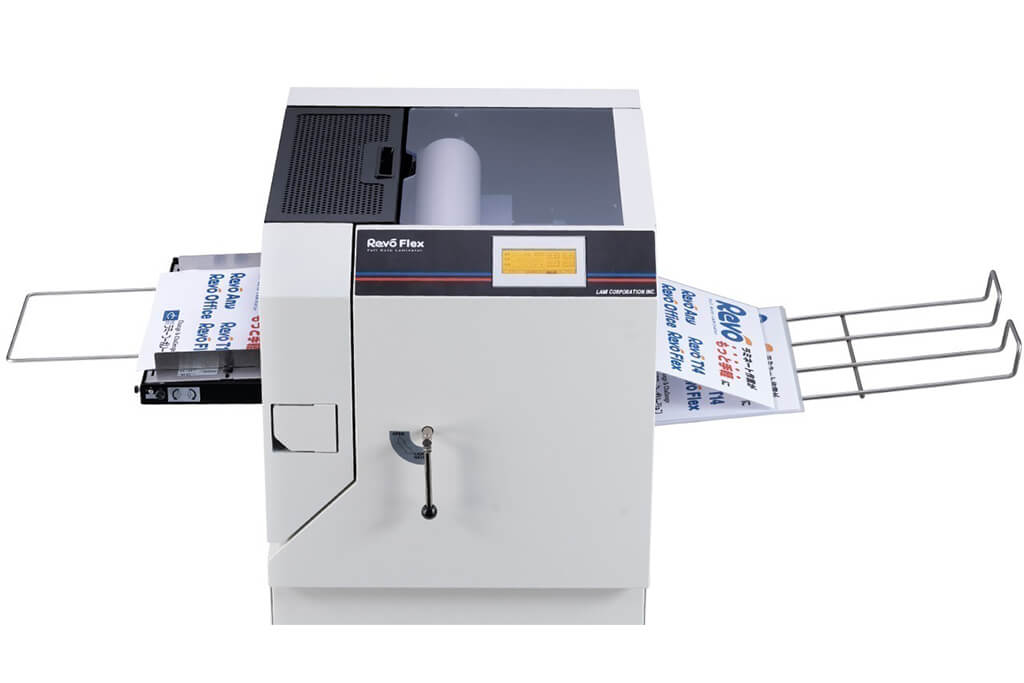
Image source: LAMI Corporation Official Website
(https://www.lami-corporation.co.jp/english/products/detail/51)
(https://www.lami-corporation.co.jp/english/products/detail/51)
Example facilities
Output centers, design offices, franchise headquarters, etc.
Reasons for recommendation
High-mix, fast-turnaround jobs are efficient through process reduction
- Completes trimming simultaneously with lamination, eliminating the need to move to subsequent processes or separate equipment.
Eliminates bottlenecks that tend to occur in on-demand printing and production sites. - High-precision automatic four-side trimming reduces trimming errors resulting from manual work, reducing film loss and the hassle of reprinting.
Even at sites with high-mix, small-lot production, it processes efficiently with consistent quality.
| Maximum processing speed | 2.0 m/min |
|---|---|
| Maximum width | 320 mm (SRA3 standard) |
| Warm-up | about 5 minutes *1 |
| Processing type | roll type, double-sided (border on/off selectable) |
| Voltage (CE) | AC230V |
| Main unit dimensions | W 1,300 mm / D 610 mm / H 1,080 mm *2 |
[10,000+ sheets per month]
High-lot production
High-lot production
Mini 76 TH
(Autobond Laminating)
(Autobond Laminating)
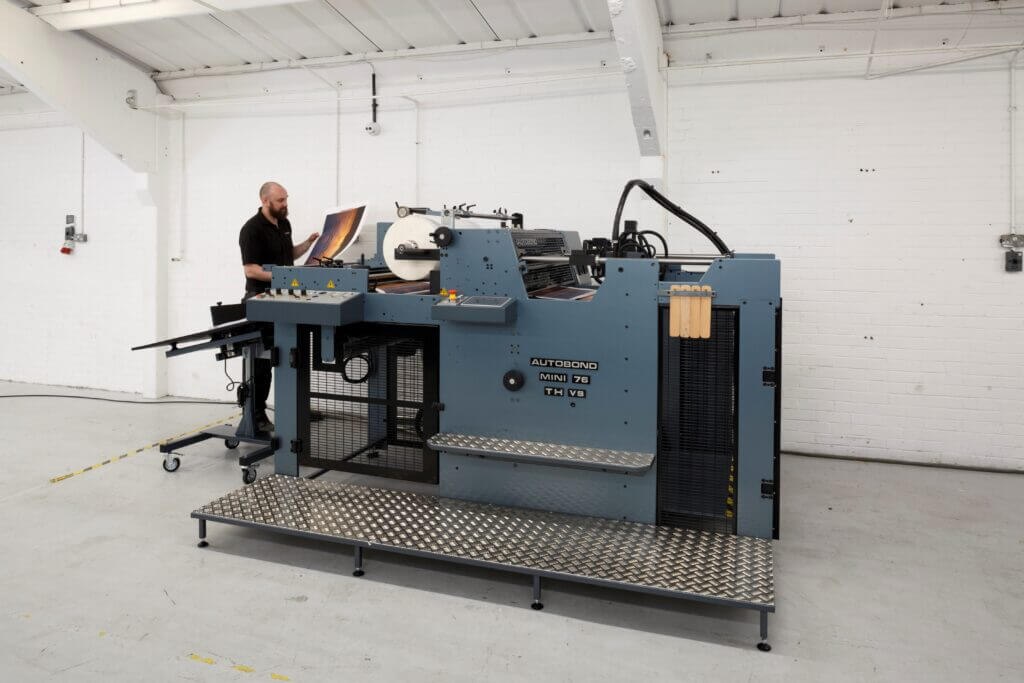
Image source: AUTOBOND Official Website
(https://www.autobondlaminating.com/machinery/thermal-lamination/mini/mini-76-th/)
(https://www.autobondlaminating.com/machinery/thermal-lamination/mini/mini-76-th/)
Example facilities
Printing factories, bookbinding lines, etc.
Reasons for recommendation
High-speed, continuous processing that can be integrated into mass-production lines
- Uses a steel side plate with a thickness of 20 mm described as sturdy like a tank. This rigid structure physically eliminates vibrations even at high-speed operations of 60 m per minute, maintaining stable processing accuracy.
- With a processing capacity of 60 m per minute, it can continuously handle large-format prints stably.
It demonstrates its true value when introduced as a part of a production line rather than as a standalone machine.
| Maximum processing speed | 60.0 m/min |
|---|---|
| Maximum width | 760 mm (B1+ compatible) |
| Warm-up | inquire for details |
| Processing type | roll type, single-sided or double-sided (borderless) |
| Voltage (CE) | inquire for details |
| Main unit dimensions | inquire for details |
*1. At 100°C (212°F) setting
*2. Dimensions when assembled, including the stand, tray, etc.